


New article
Recently updated
Forwarding a specification request to a third party company

Who is this article for?
Users who want to learn to forward a specification request to a third party company.
No elevated permissions are required.
This feature allows recipients of specification requests to forward requests from their customers to any third party company, who can then complete the specification details on their behalf.
1. Understanding the forwarding options
When forwarding a specification request, you can choose whether the completed details are returned to you for review or sent directly to your customer (the original requestor). This flexibility allows you to maintain control over the process or streamline the workflow as needed.
2. Setting up a specification to allow forwarding
To enable forwarding for a specification request, follow these steps:
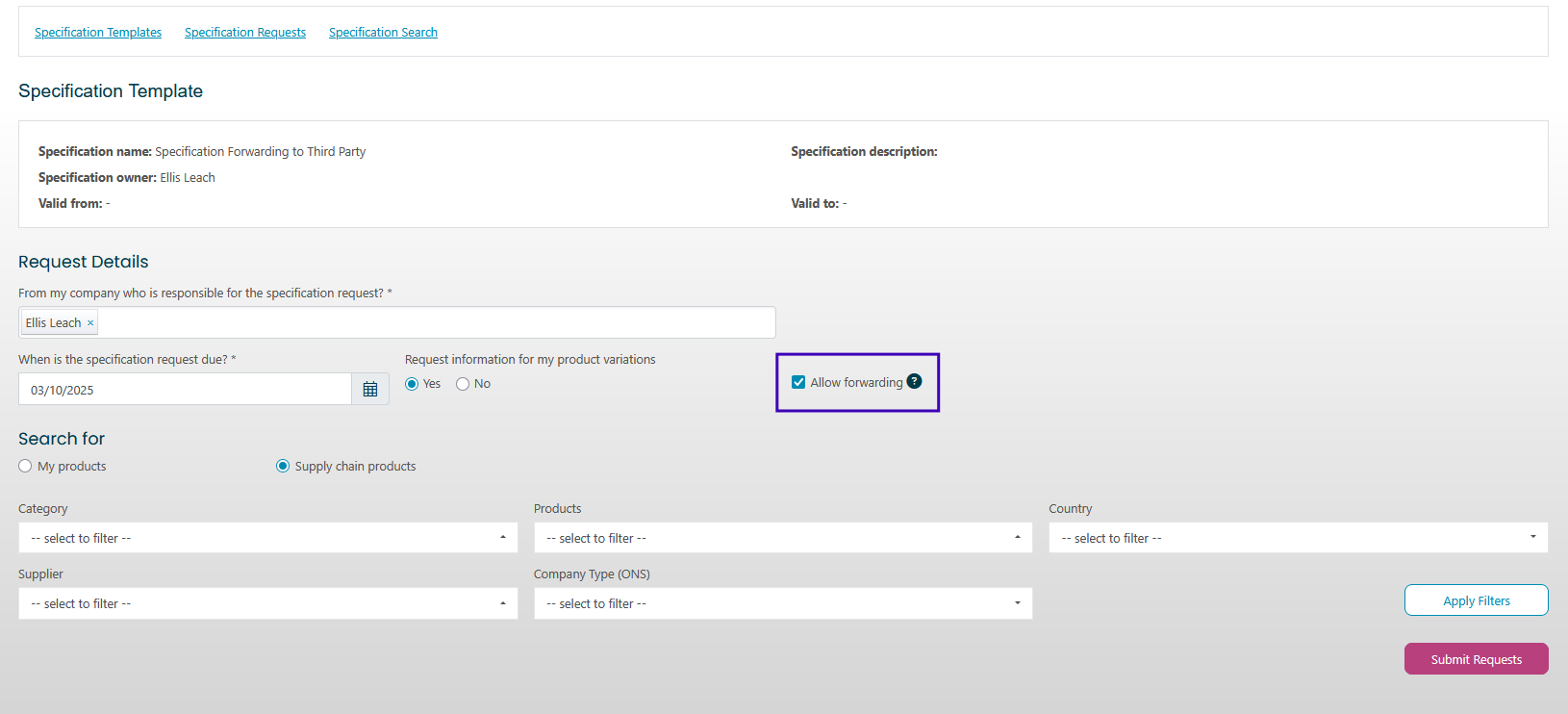
- When sending a specification, select the products and suppliers you want to send the request to.
- Tick the Allow Forwarding option.
3. Responding to the specification request
To respond to a specification request, follow these steps:
- Click Respond on the task page.
- Choose to either forward the request immediately or accept or reject it first.
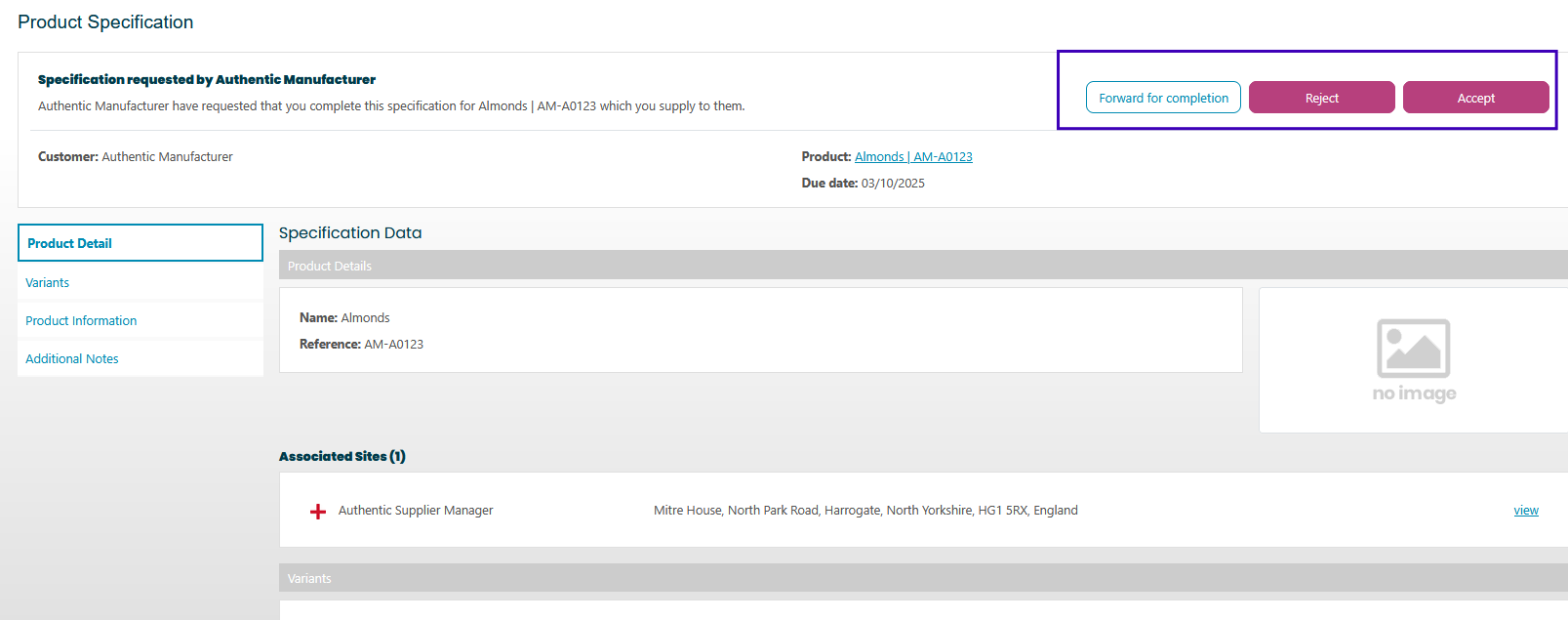
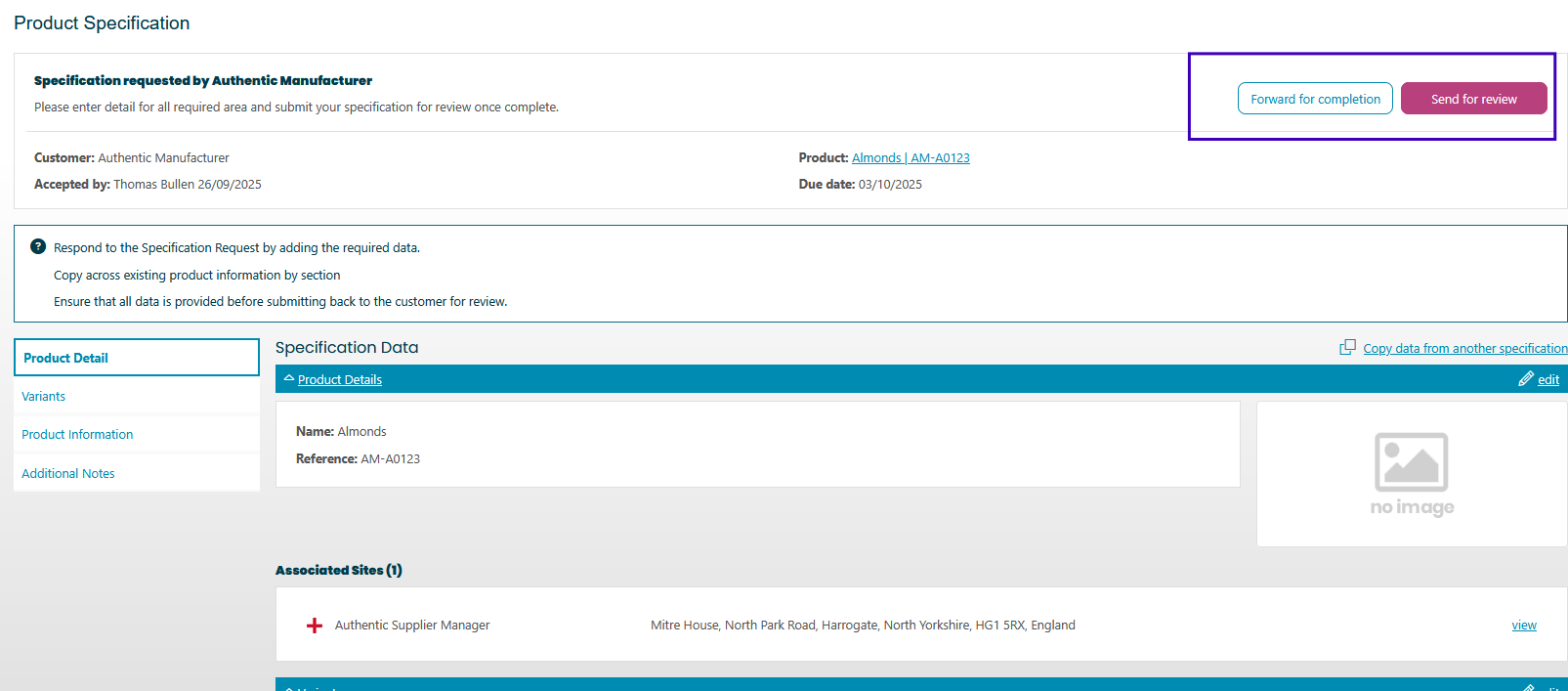
If you accept the request first, you can partially complete the specification form before forwarding it at any point in the process.
4. Choosing the company to forward to
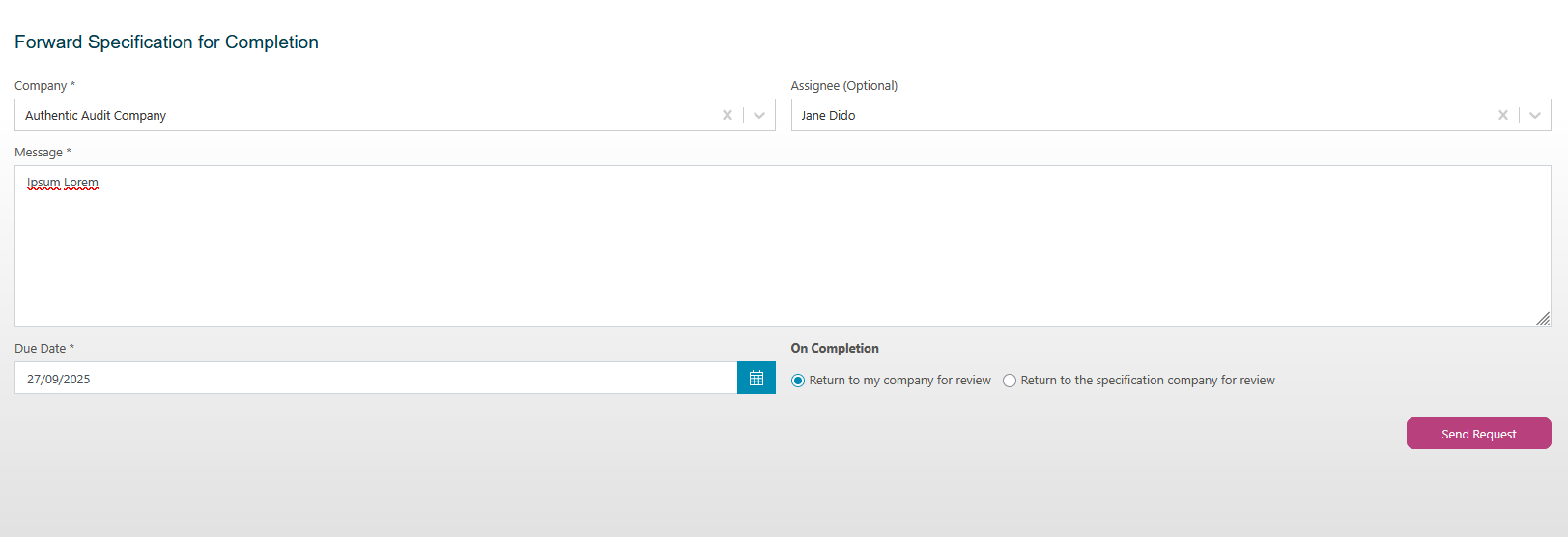
To select the forwarding recipient, follow these steps:
- Click Forward for Completion.
- Select the company and contact you want to send the request to.
- Personalise the message if needed.
- Set the due date.
- Choose where the completed specification should be returned:
- Return to you for review
- Return to the requestor for review
5. Responding to a forwarded specification
If you receive a specification request that has been forwarded to you, the process is identical to accepting a specification from the original requestor. Follow the standard specification response workflow to complete and submit the details.