New article
Recently updated
Navigating Search Bar Functionality

Who is this article for?
Users navigating the search bar.
Permissions: None.
This tutorial guides you through search bar functionalities.
You will learn how to efficiently search companies, sites, and product lines using various criteria.
Using the search bar
-
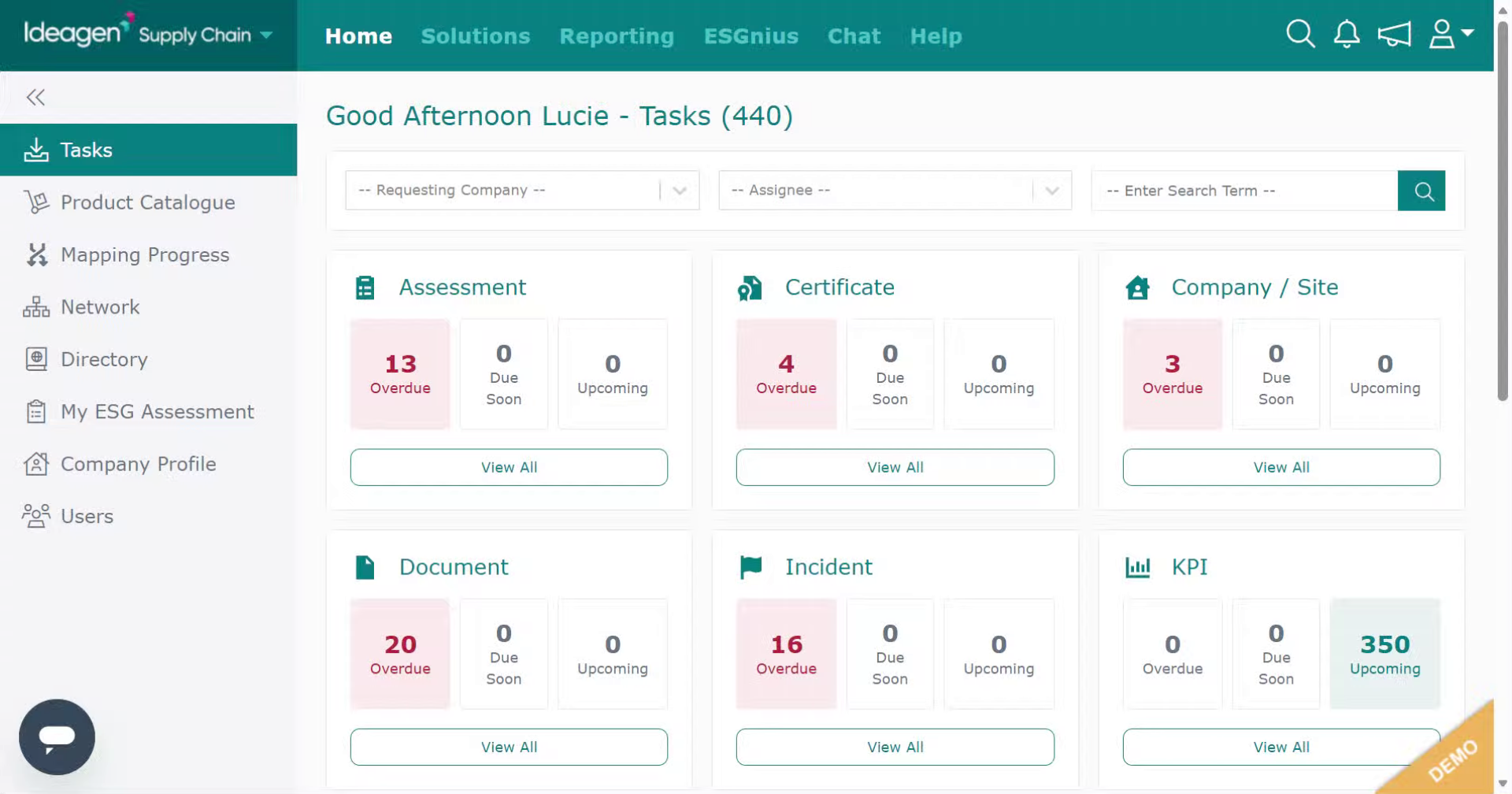
Log into the system.
-
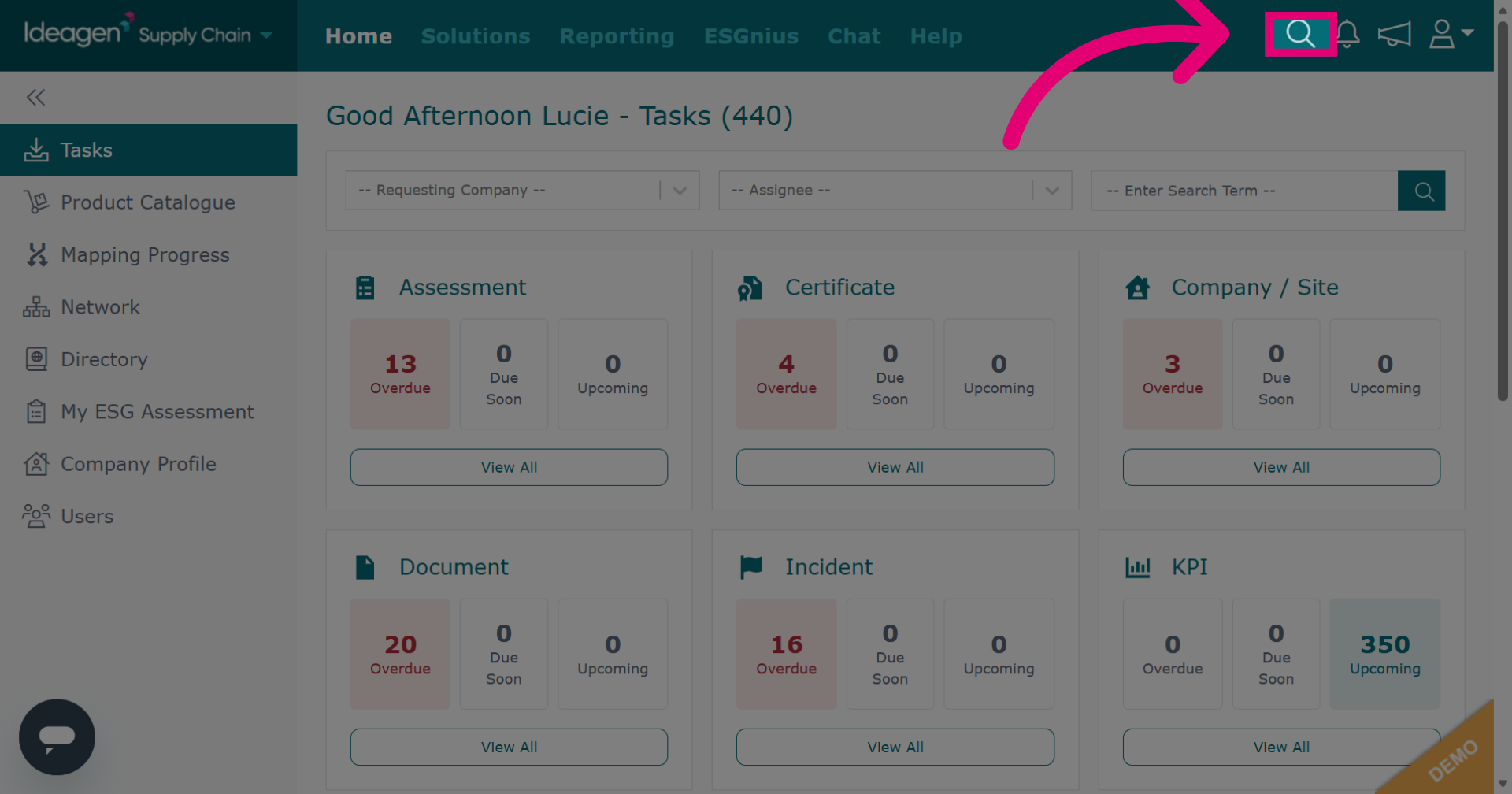
Click the search icon to open the search options in Ideagen Supply Chain.
-
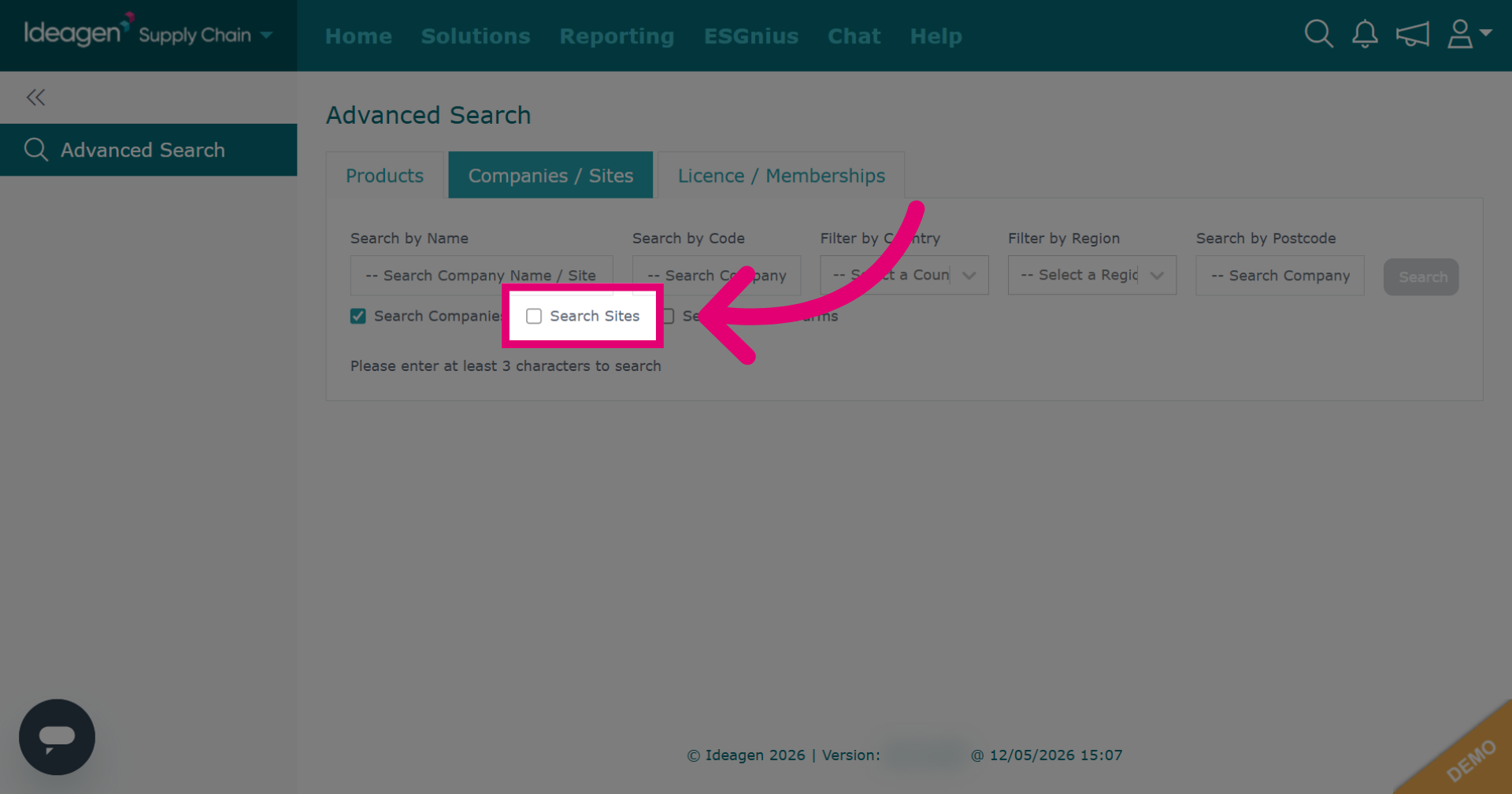
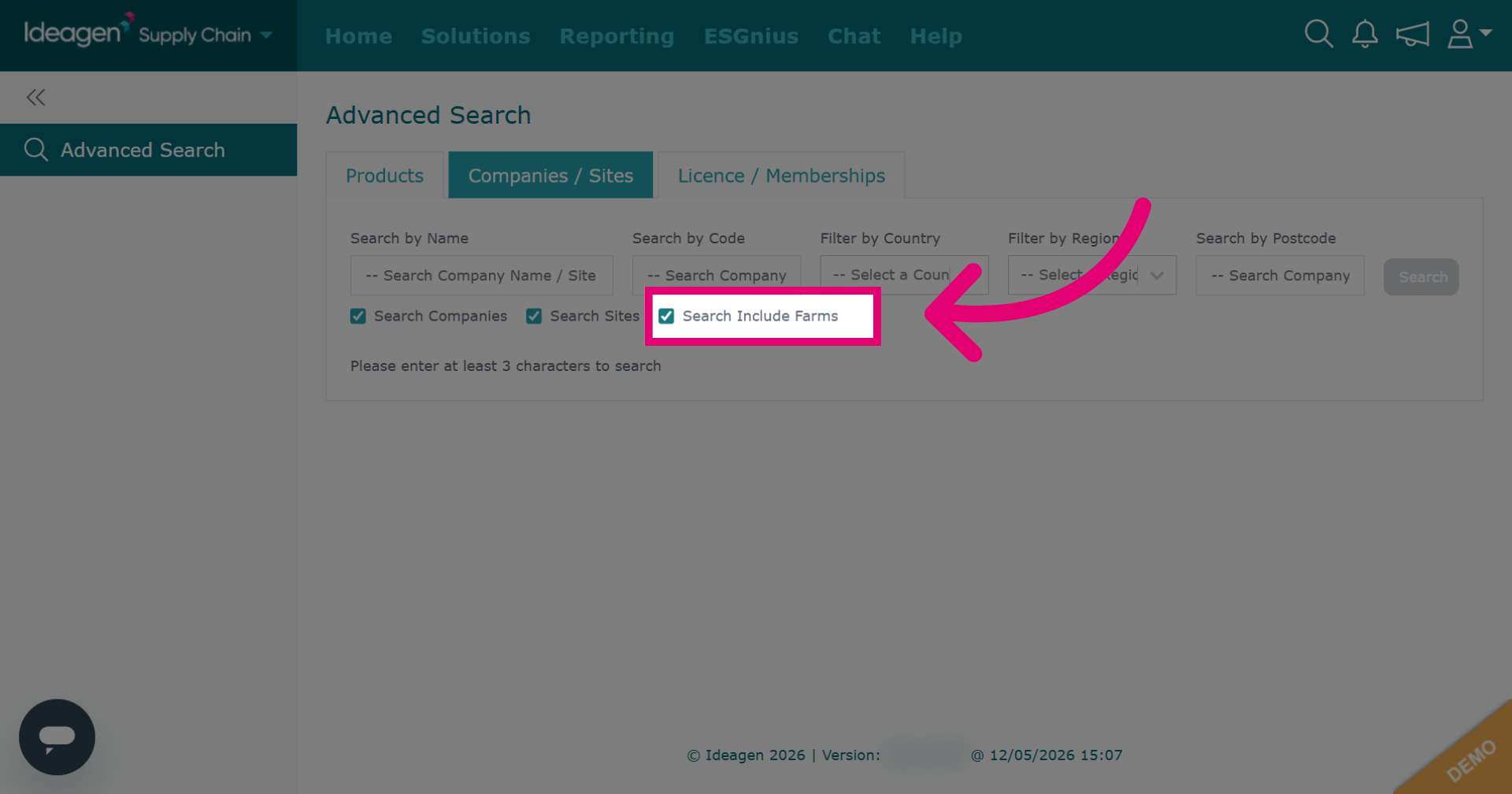
To include sites within your company/supplier search, tick the search sites button.
-
To include farms within your company/supplier search, tick the search include farms button.
-
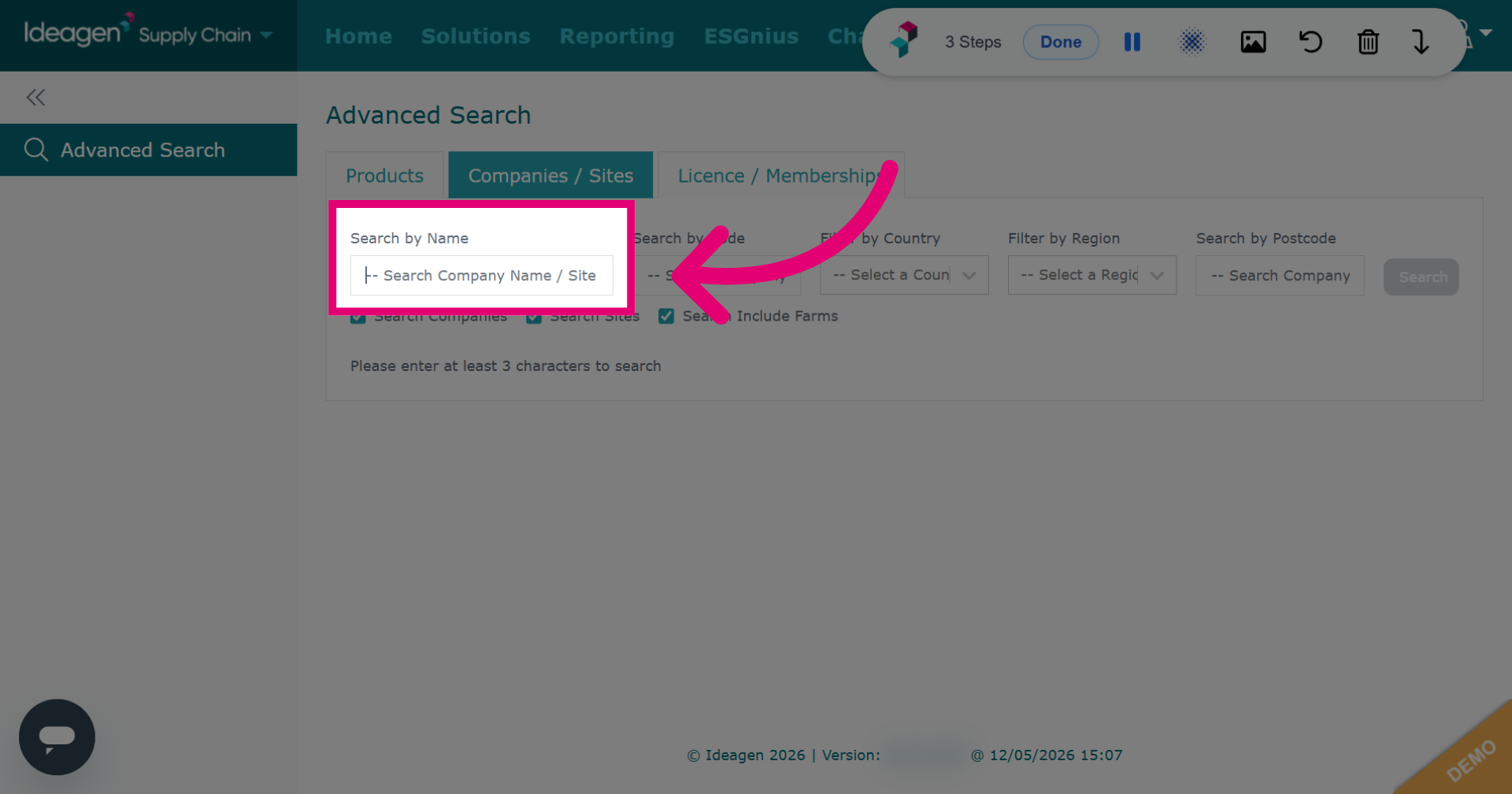
Click Search Company Name / Site Name and enter search term to look for a company or site by its name.
-
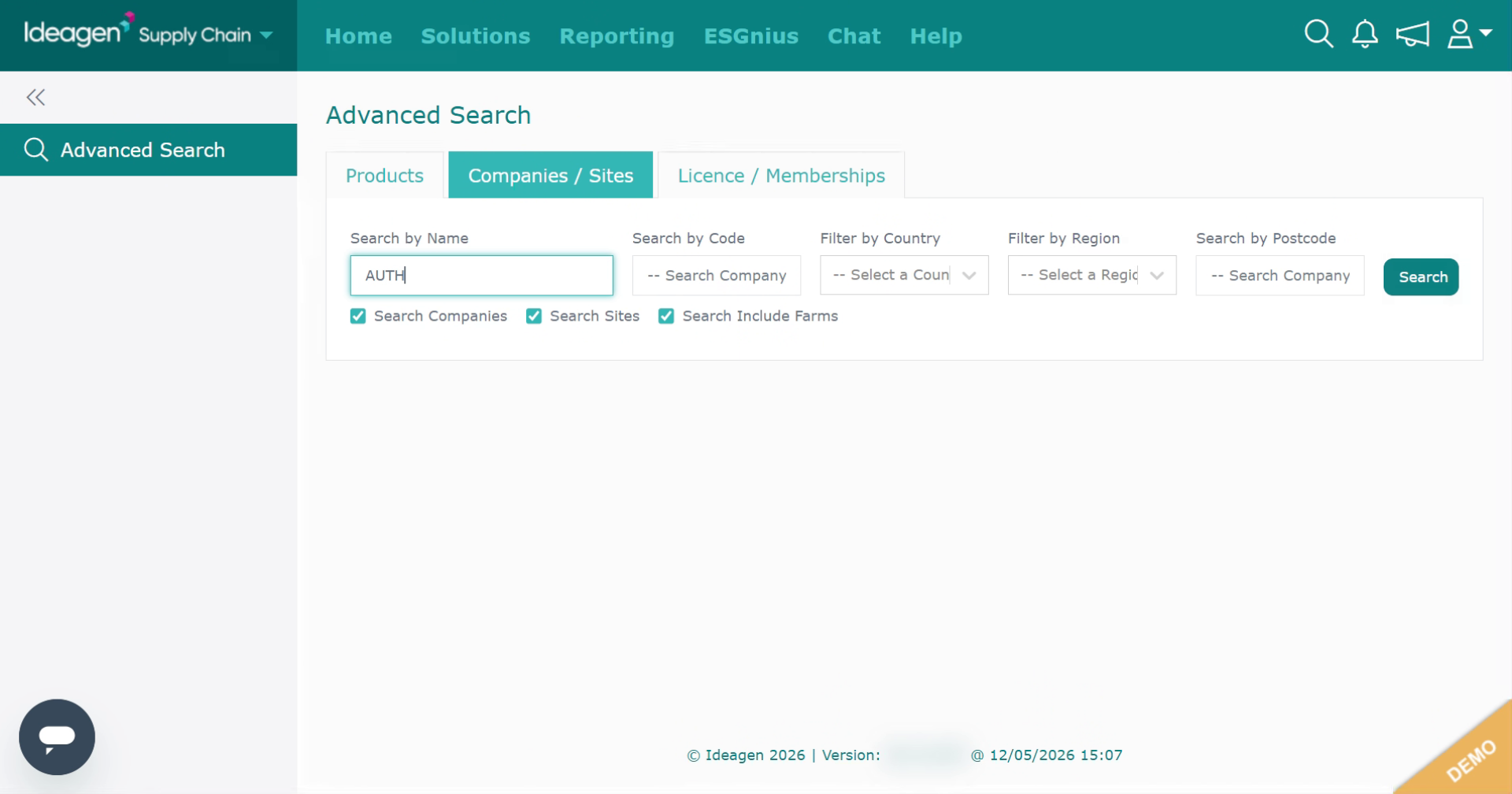
Enter the company name in the search field.
-
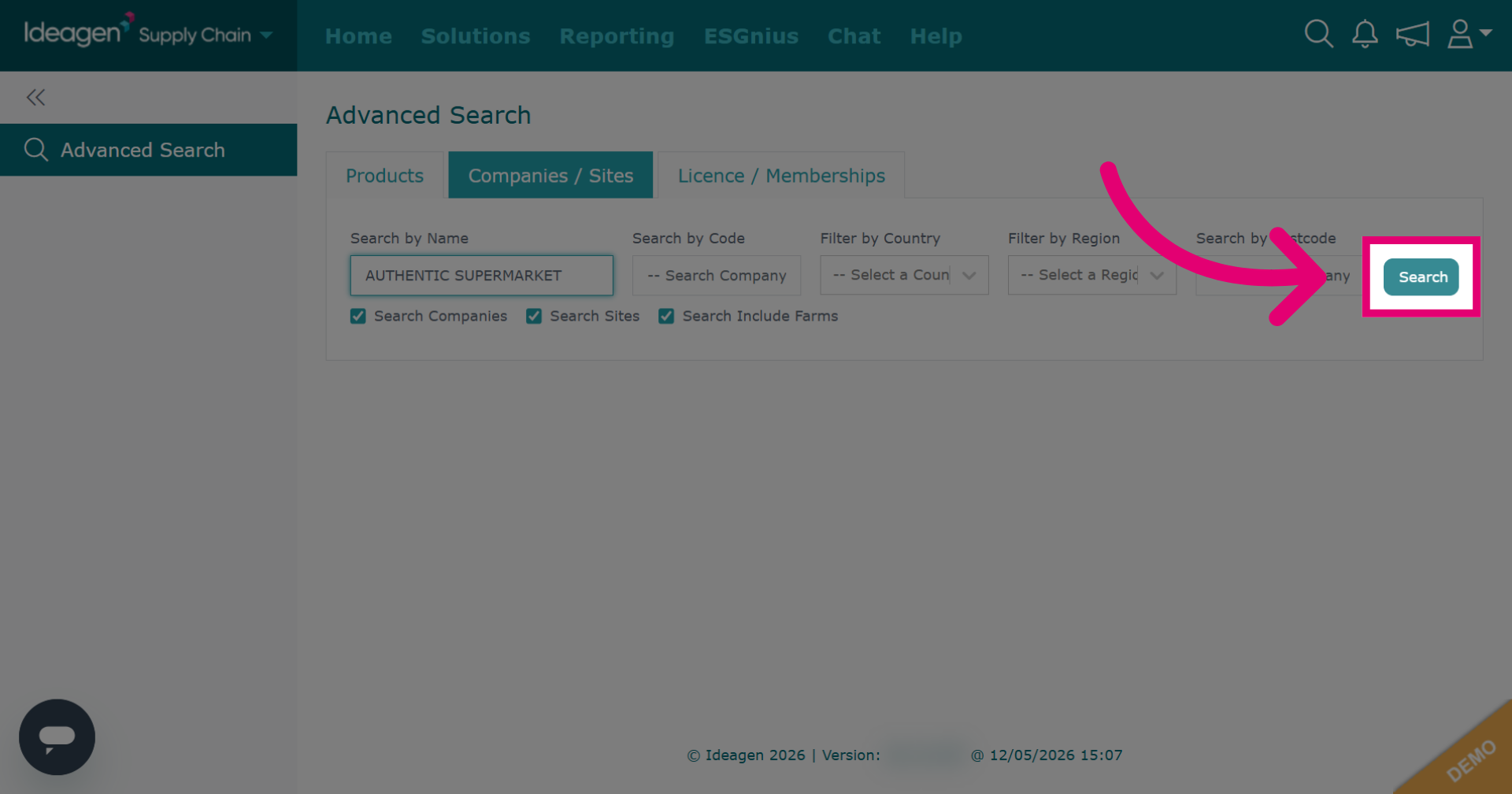
Click Search to execute the search for the entered company name.
-
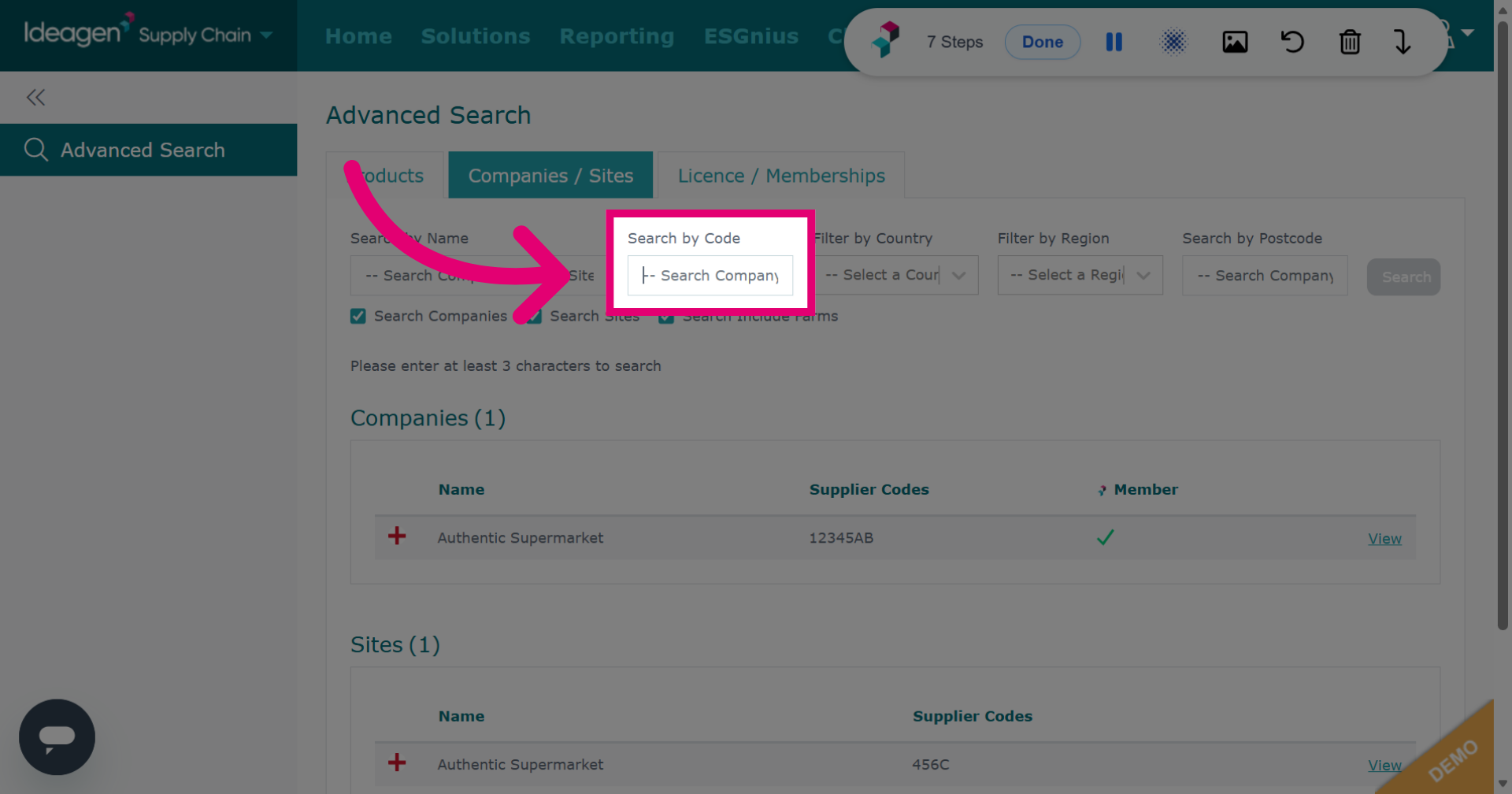
To find a company or supplier by code, click Search Company Code / Site Code and input the search field.
-
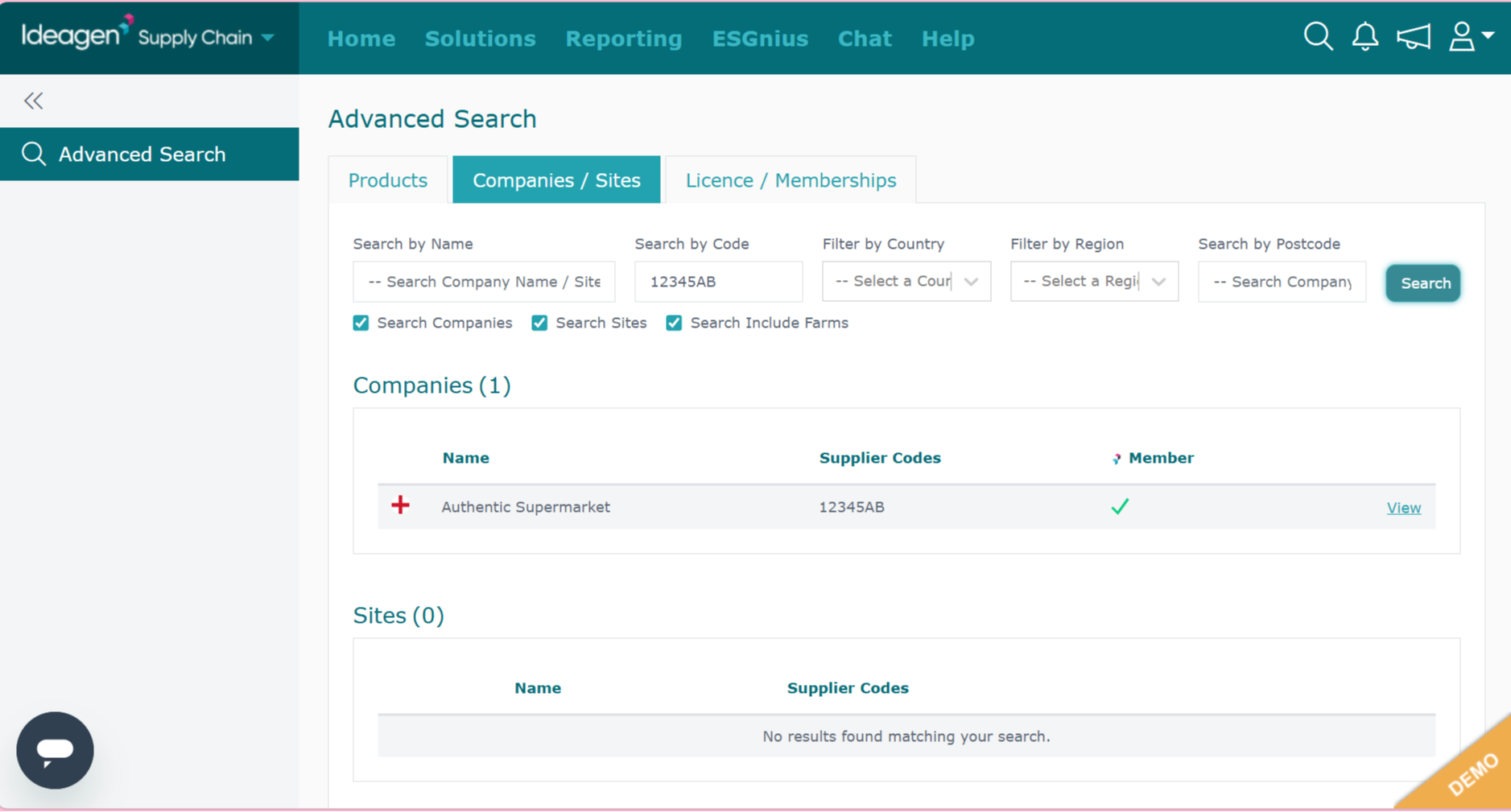
Enter the company code in the search field.
-
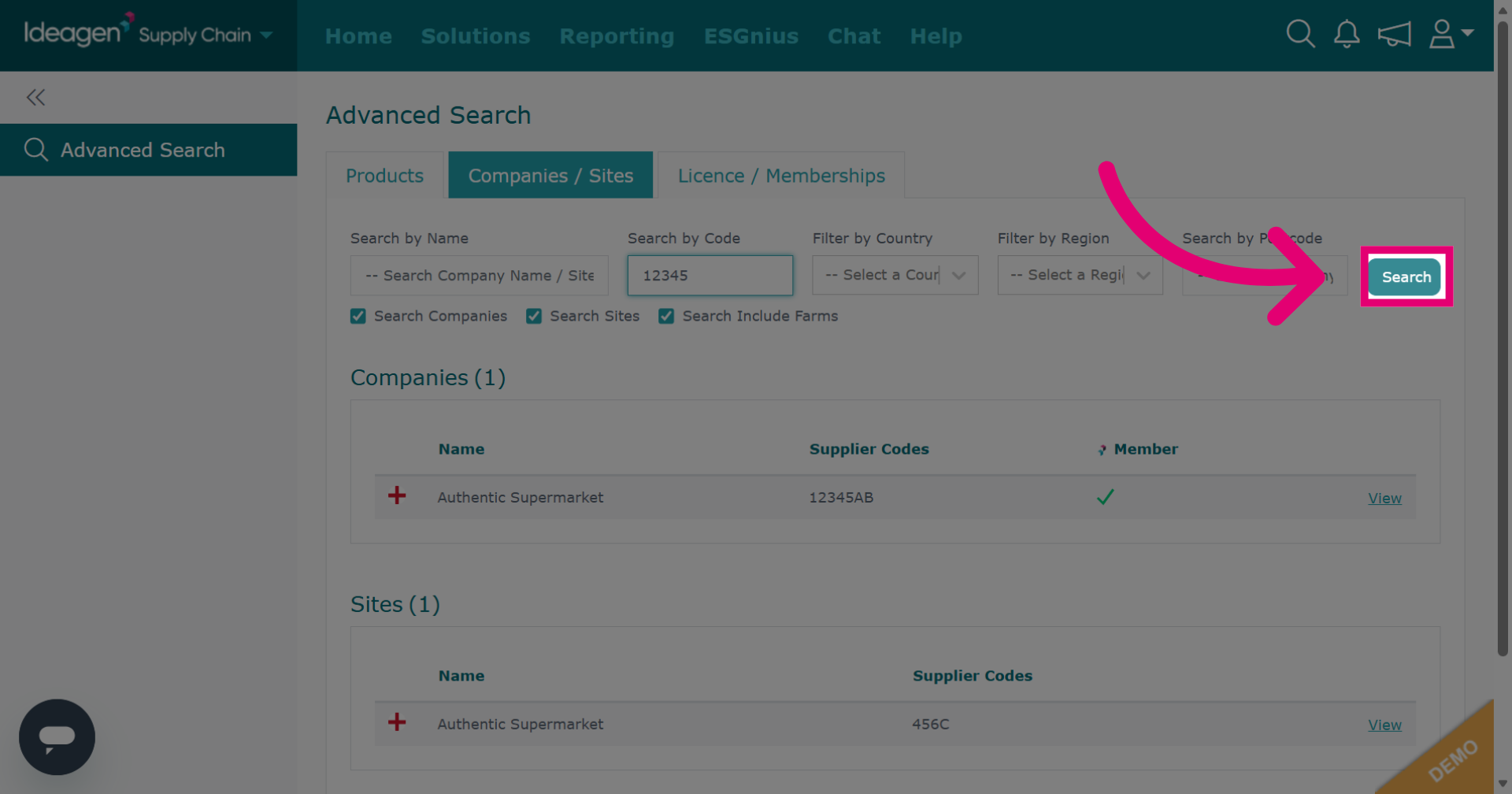
Click Search to perform the search using the specified company code.
-
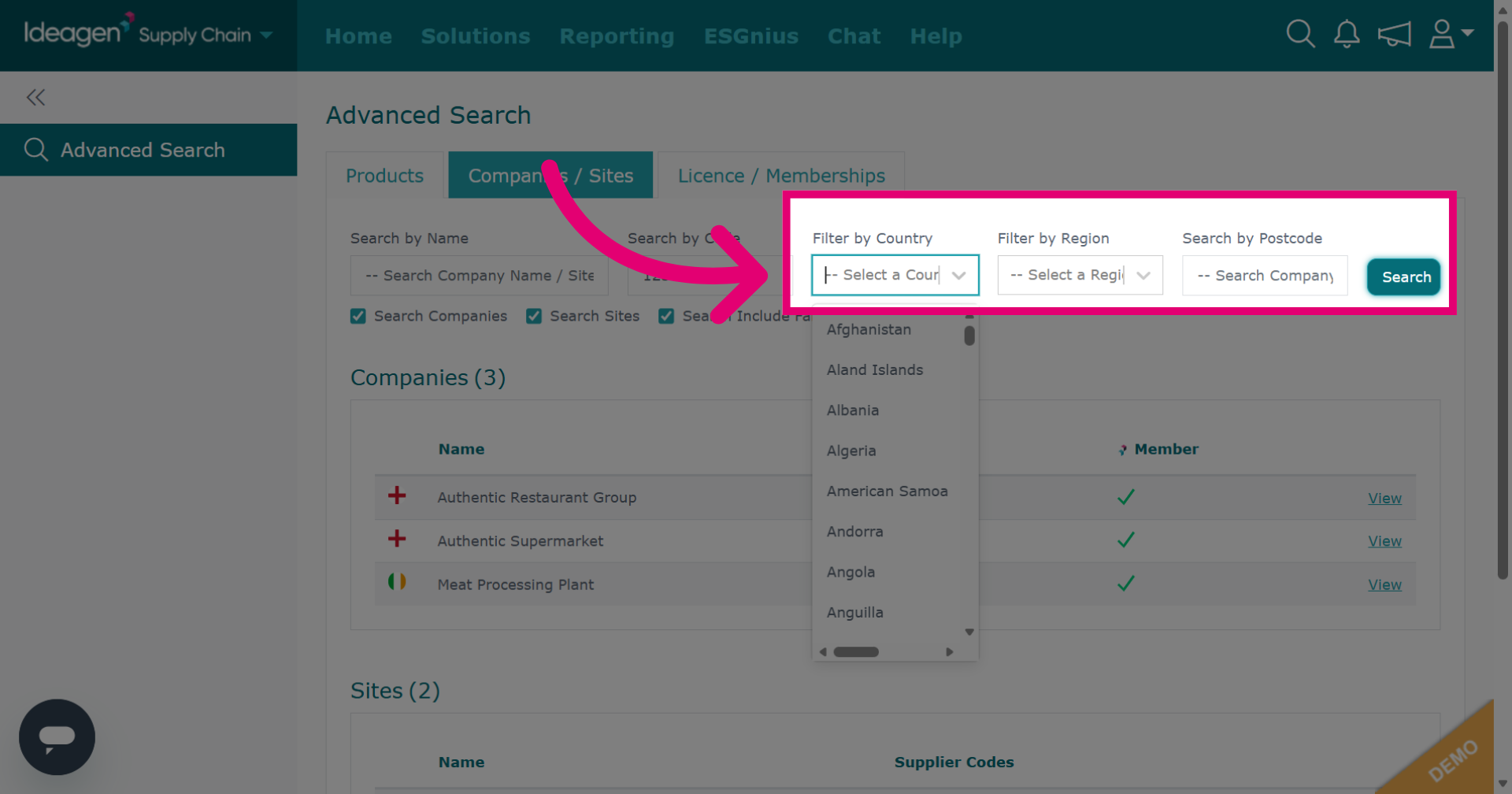
Click the additional options to access further filtering or navigation options within the platform. Filters are optional and a combination of all or some can be used for any search.
-
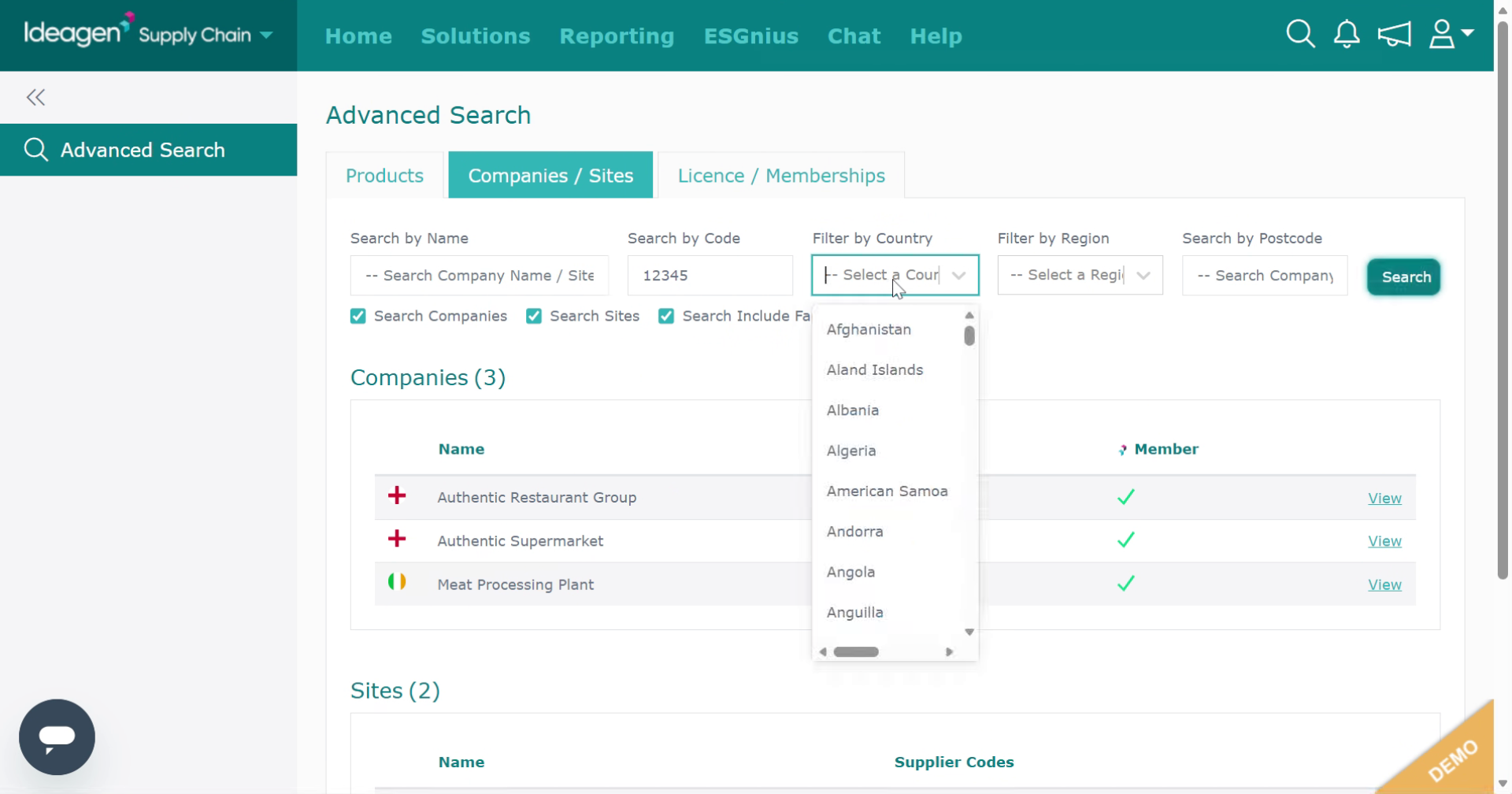
Select the country filter to narrow results by country.
-
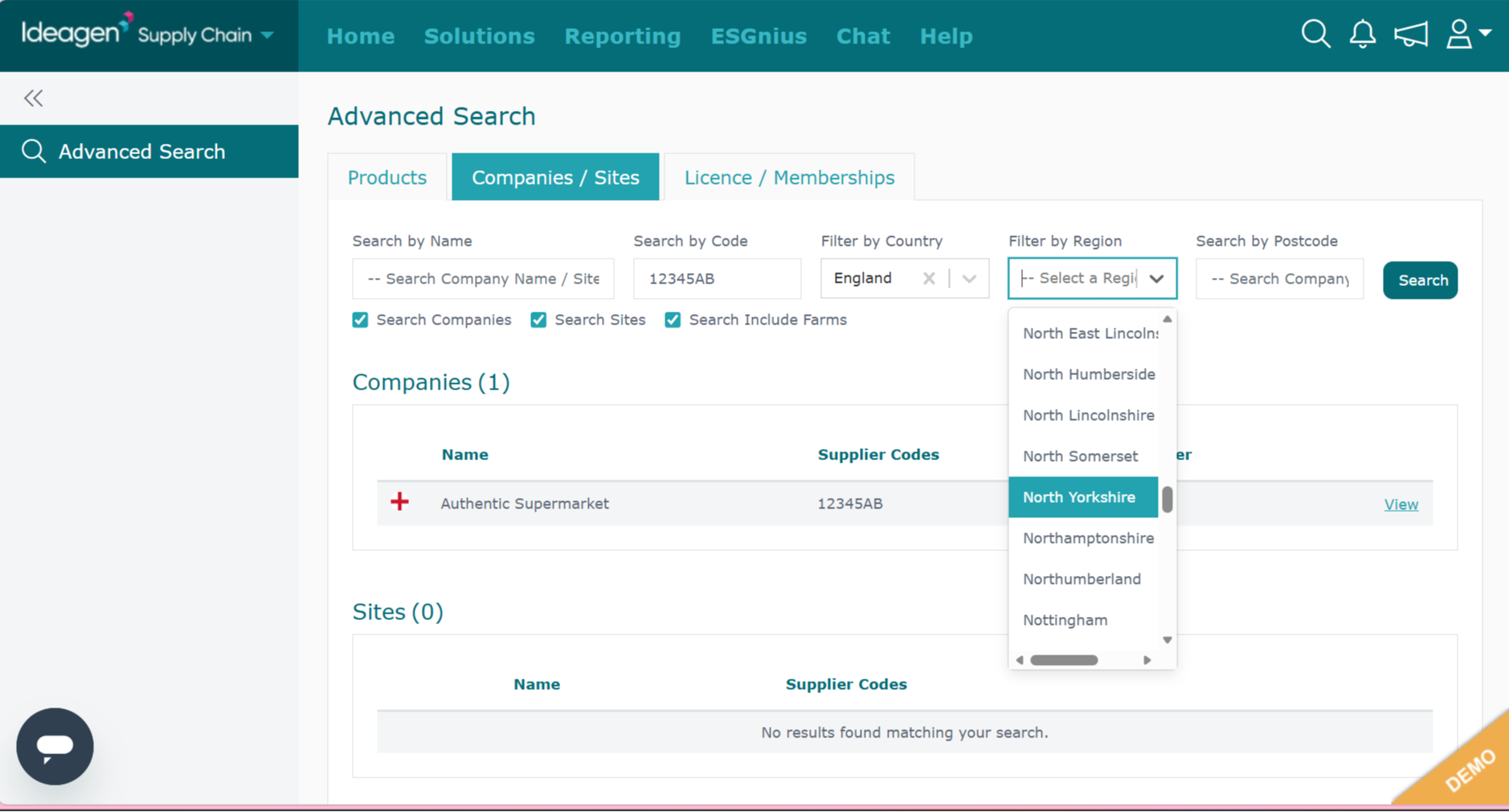
Select the region filter to narrow results by region.
-
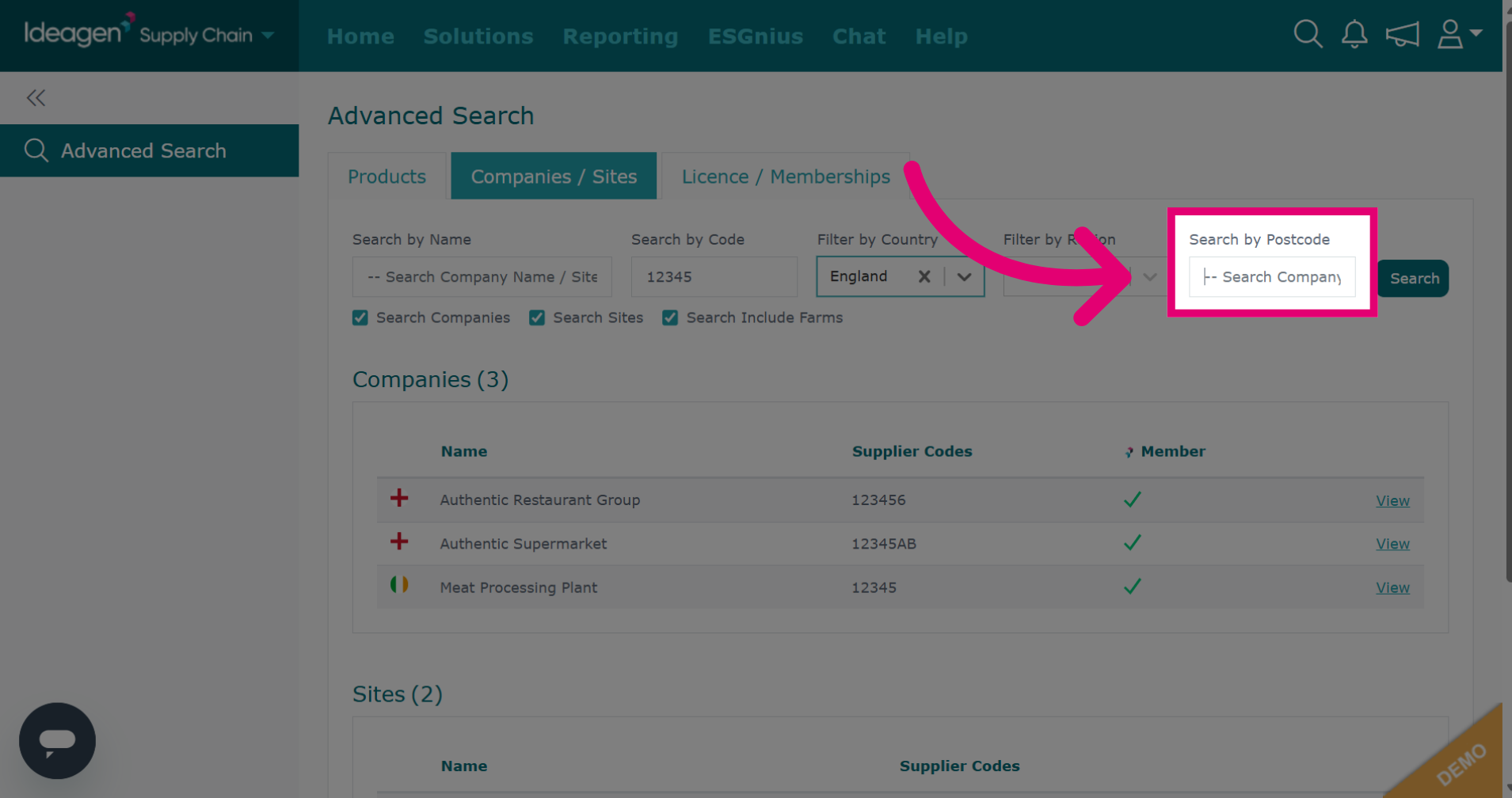
Click Search Company/ Site Postcode to search via postcode.
-
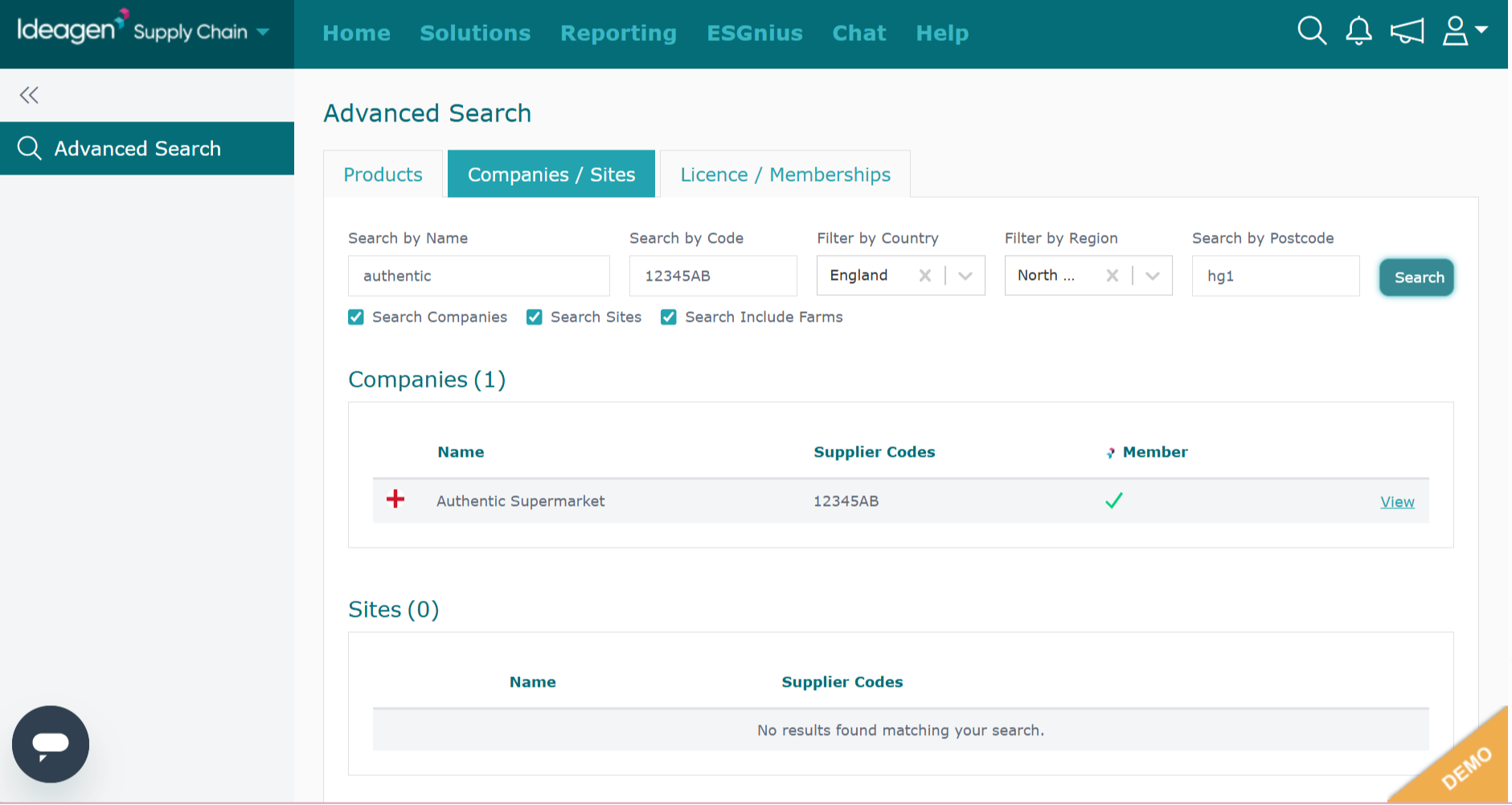
Enter the postcode in the search field.
-
Click Search to execute the search based on the postcode criteria.
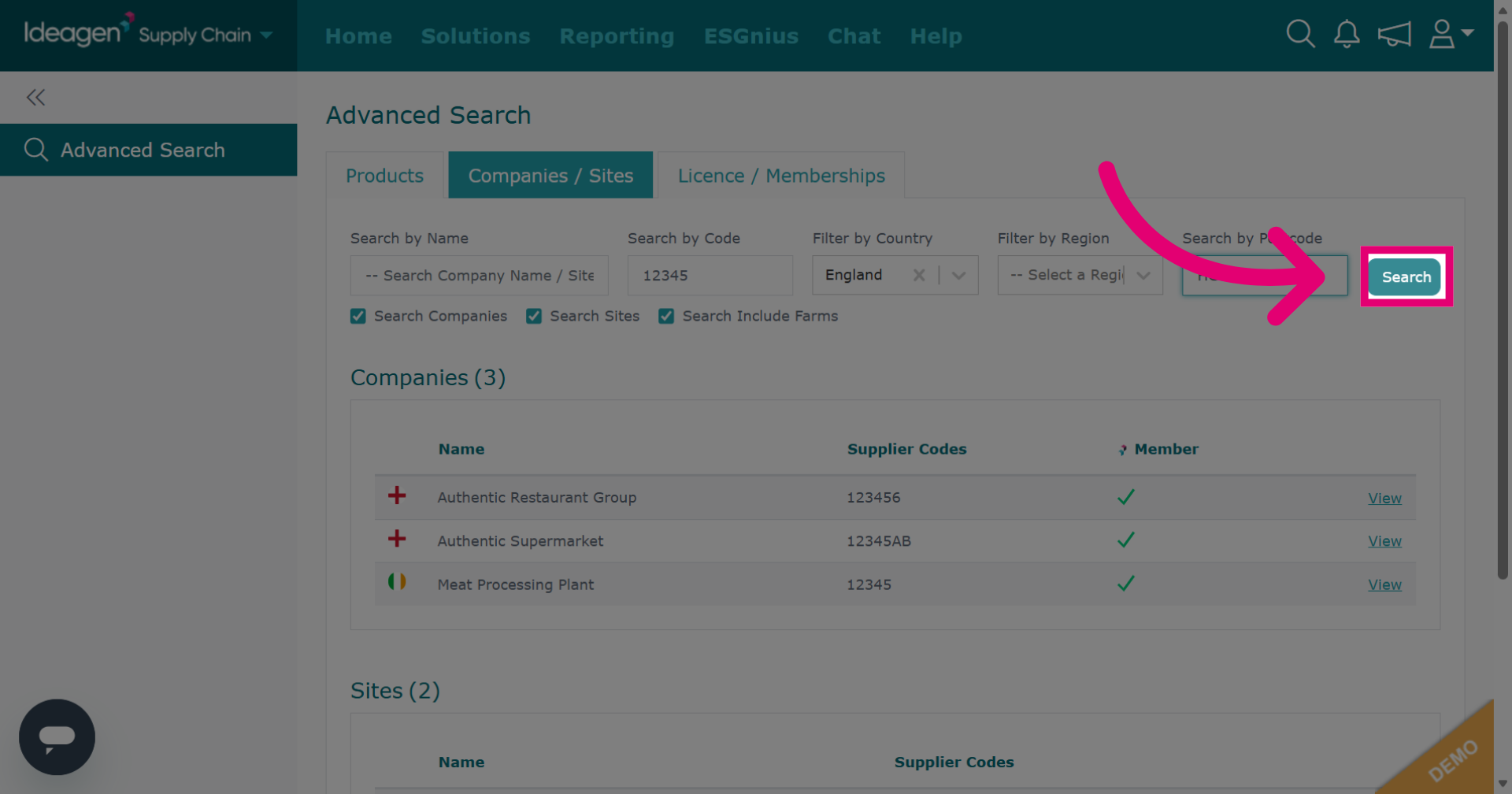
-
Click Products to search by product.
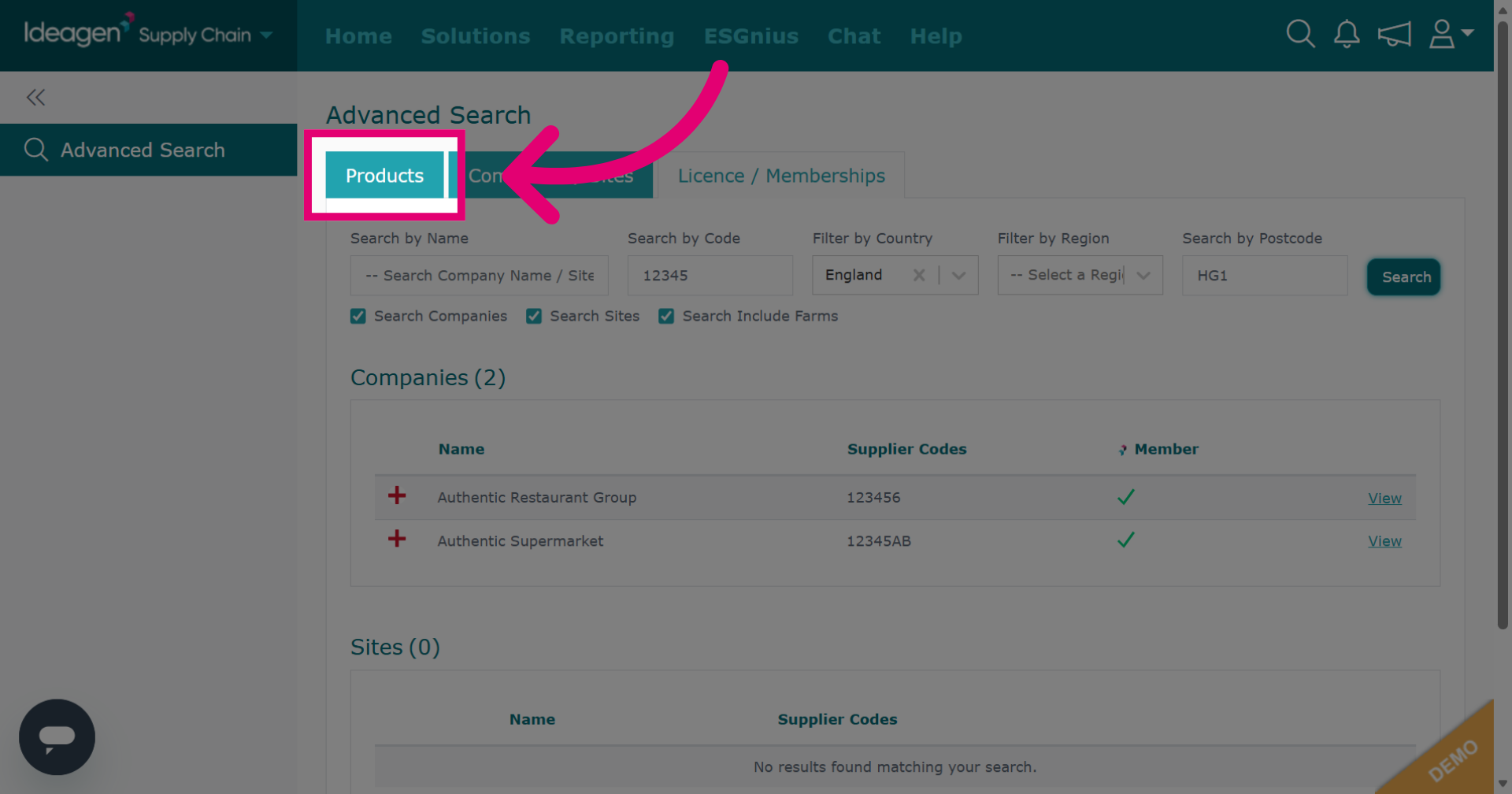
-
Click Search Product Lines to specify the product search field.
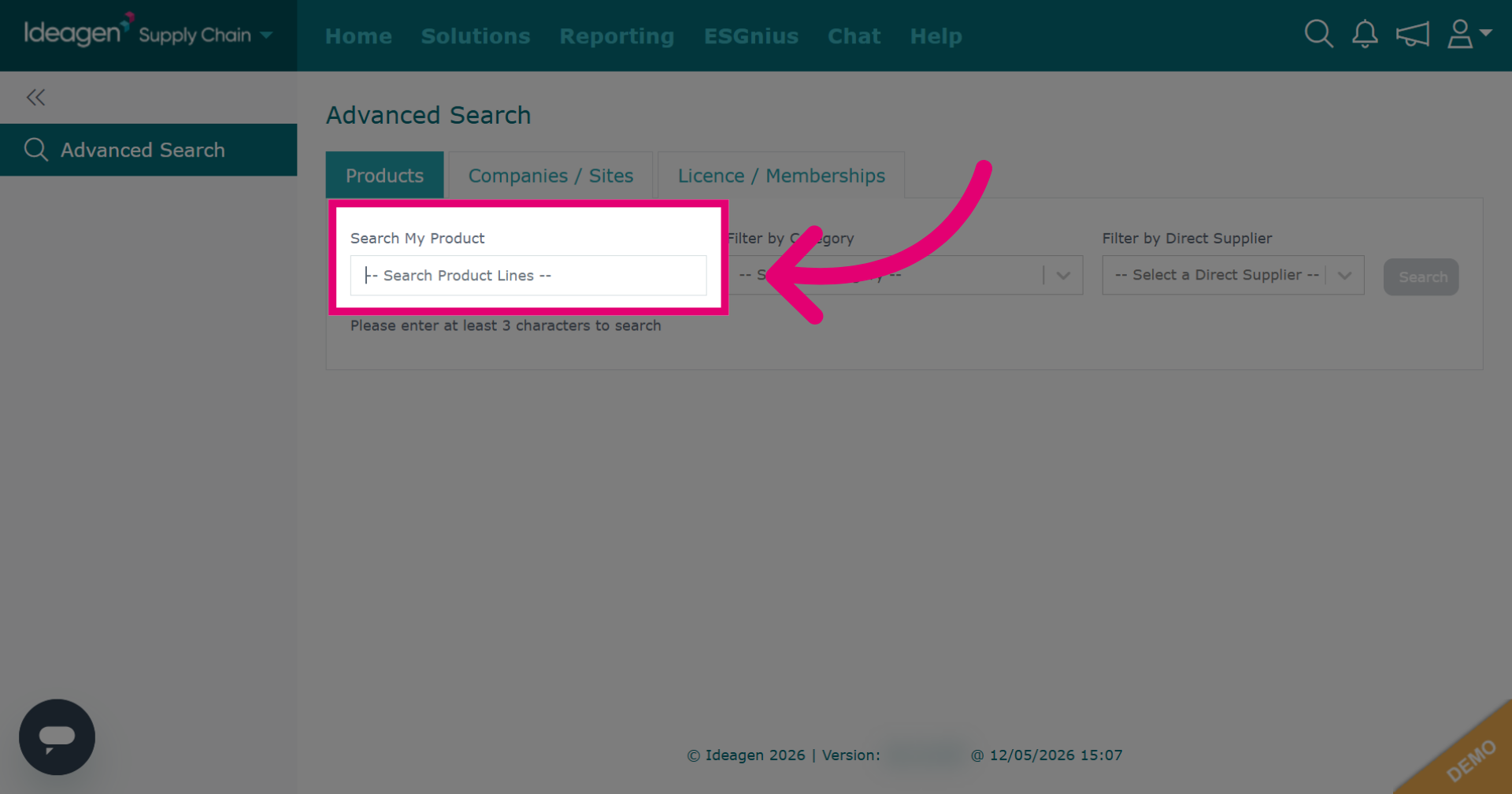
-
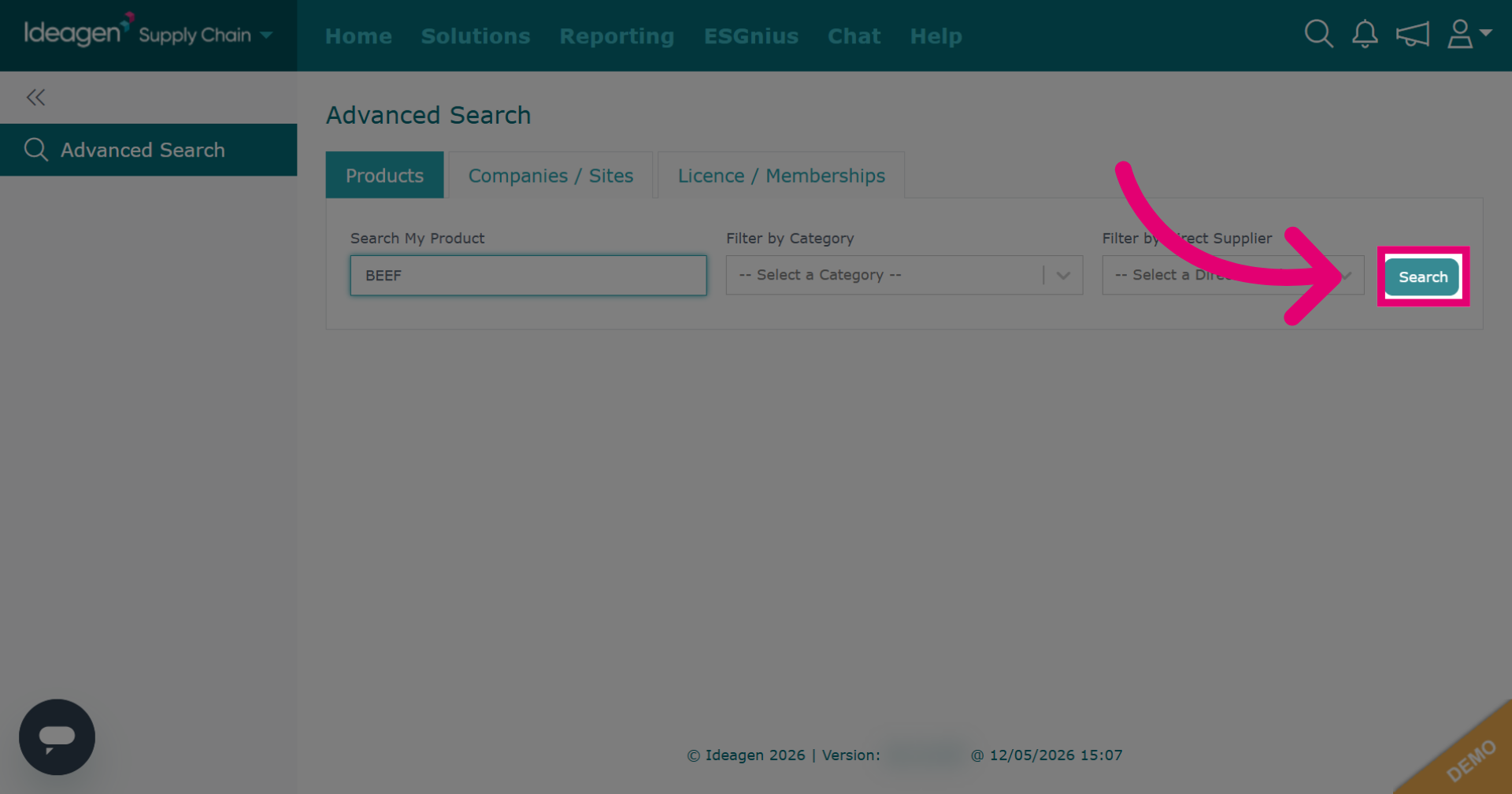
Enter the product line in the search field.
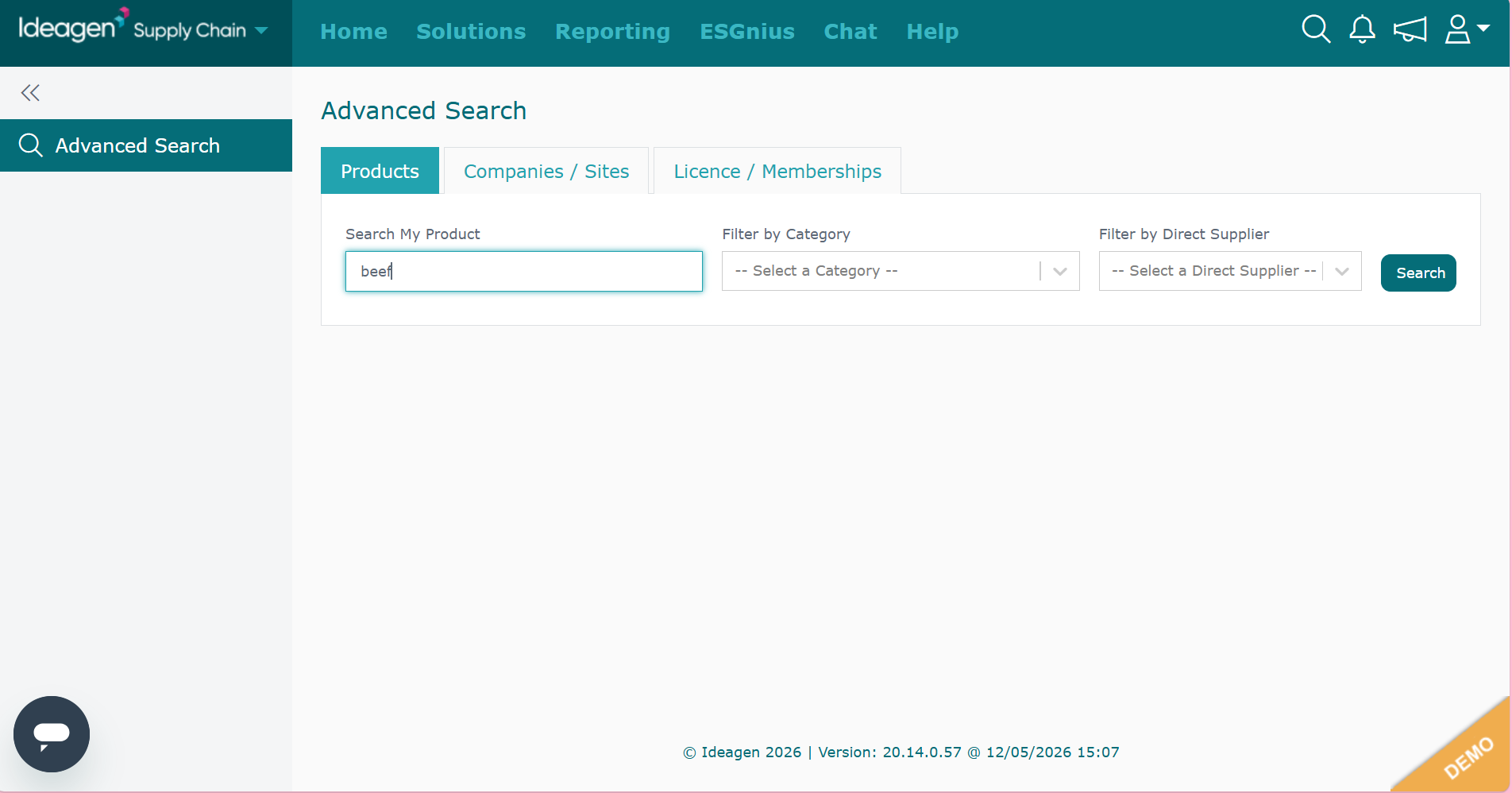
-
Click Search to find product lines matching the entered criteria.
-
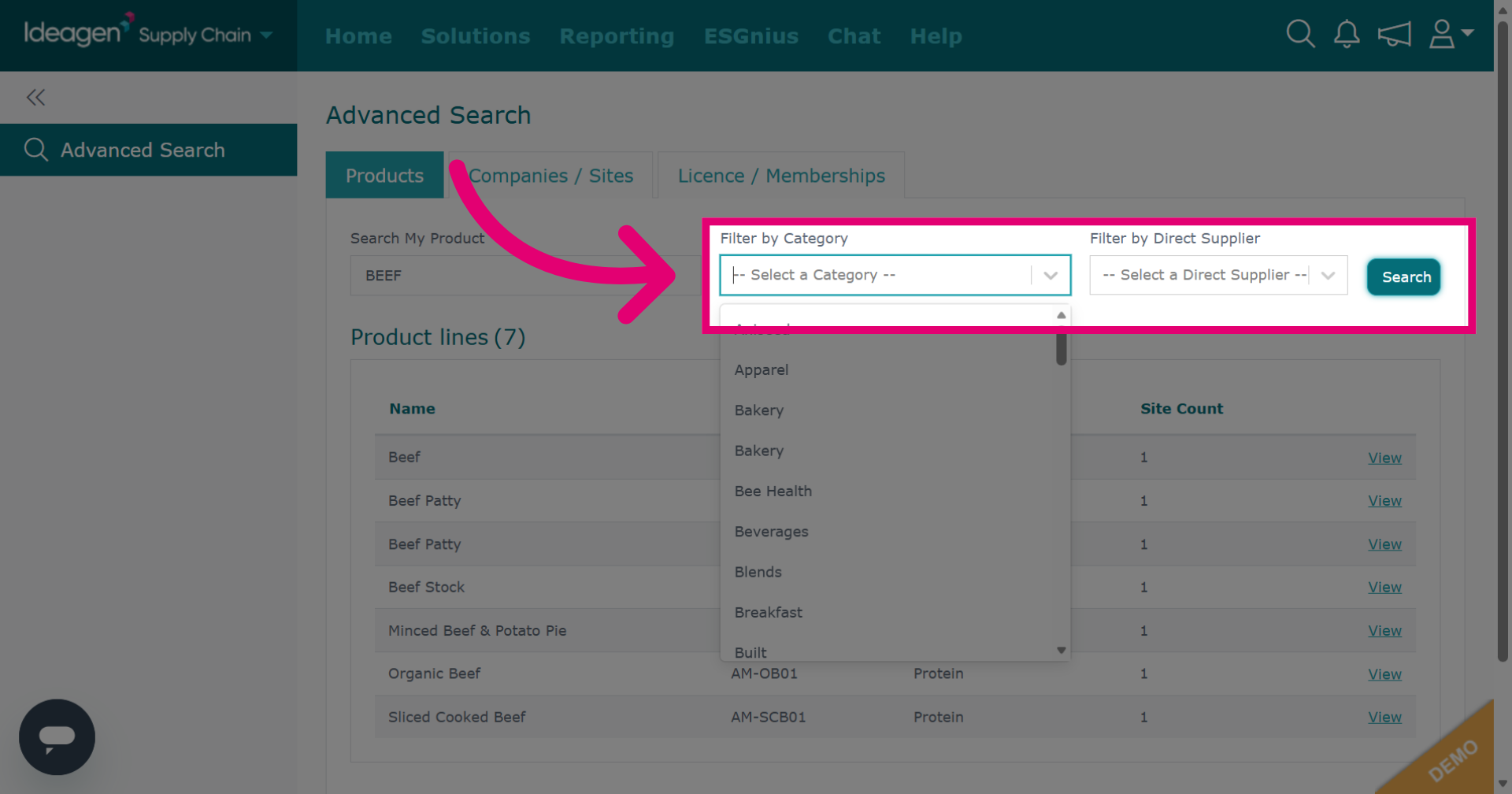
You can further narrow down results by using the filter by category or filter by direct supplier options. Filters are optional and a combination of all or some can be used for any search.
-
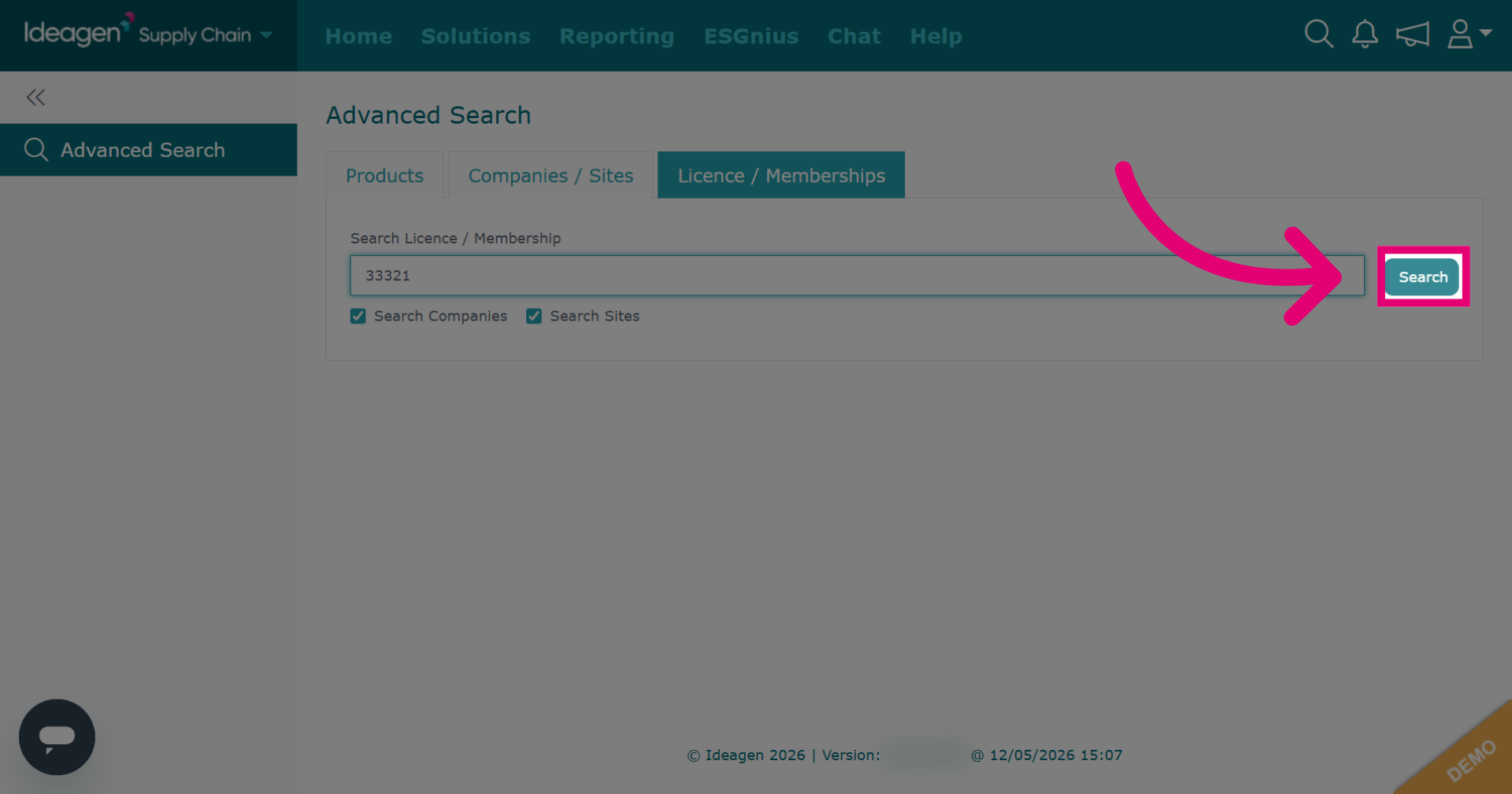
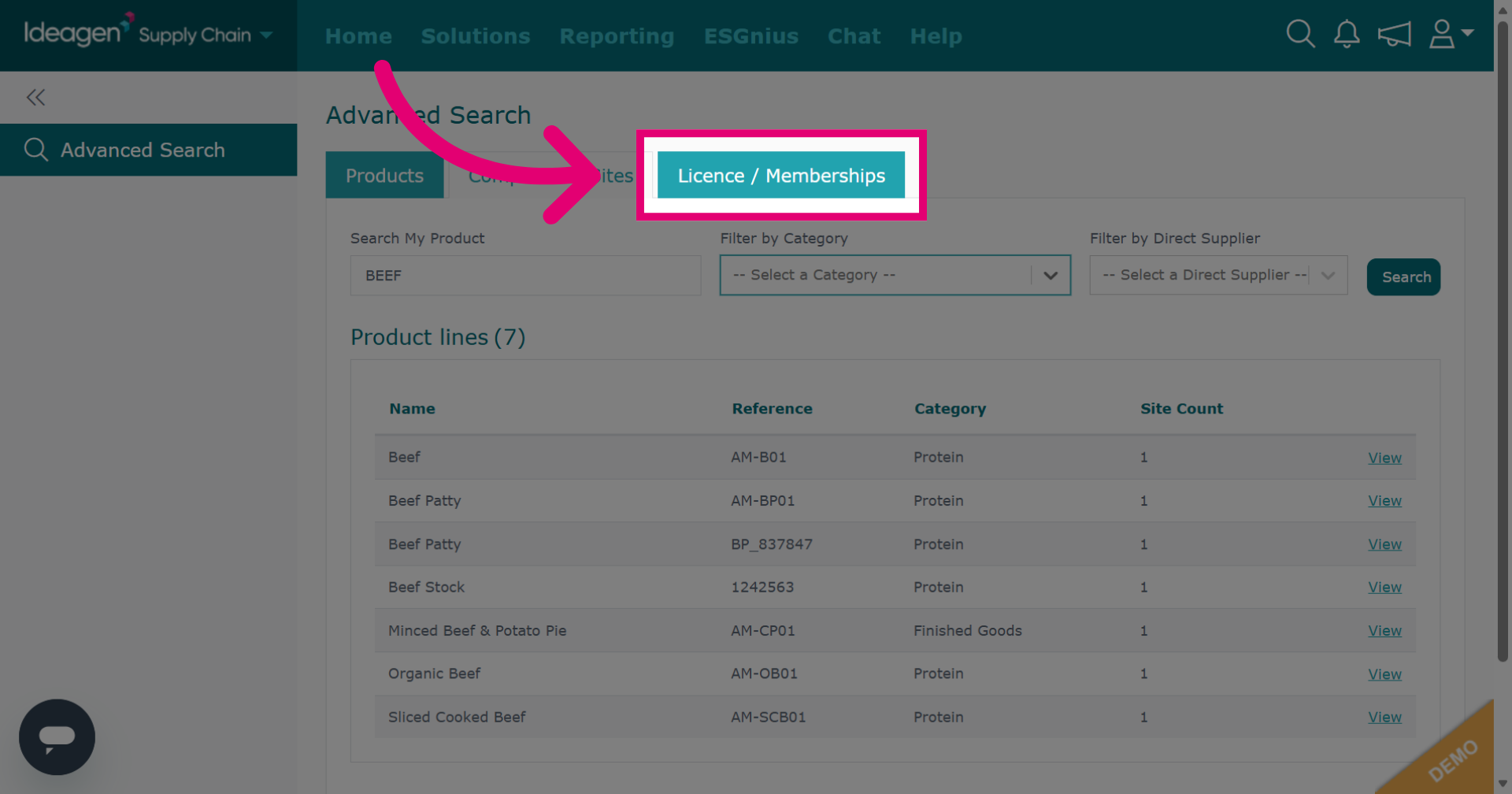
Click Licence / Memberships to search for a company/supplier via license or membership numbers.
-
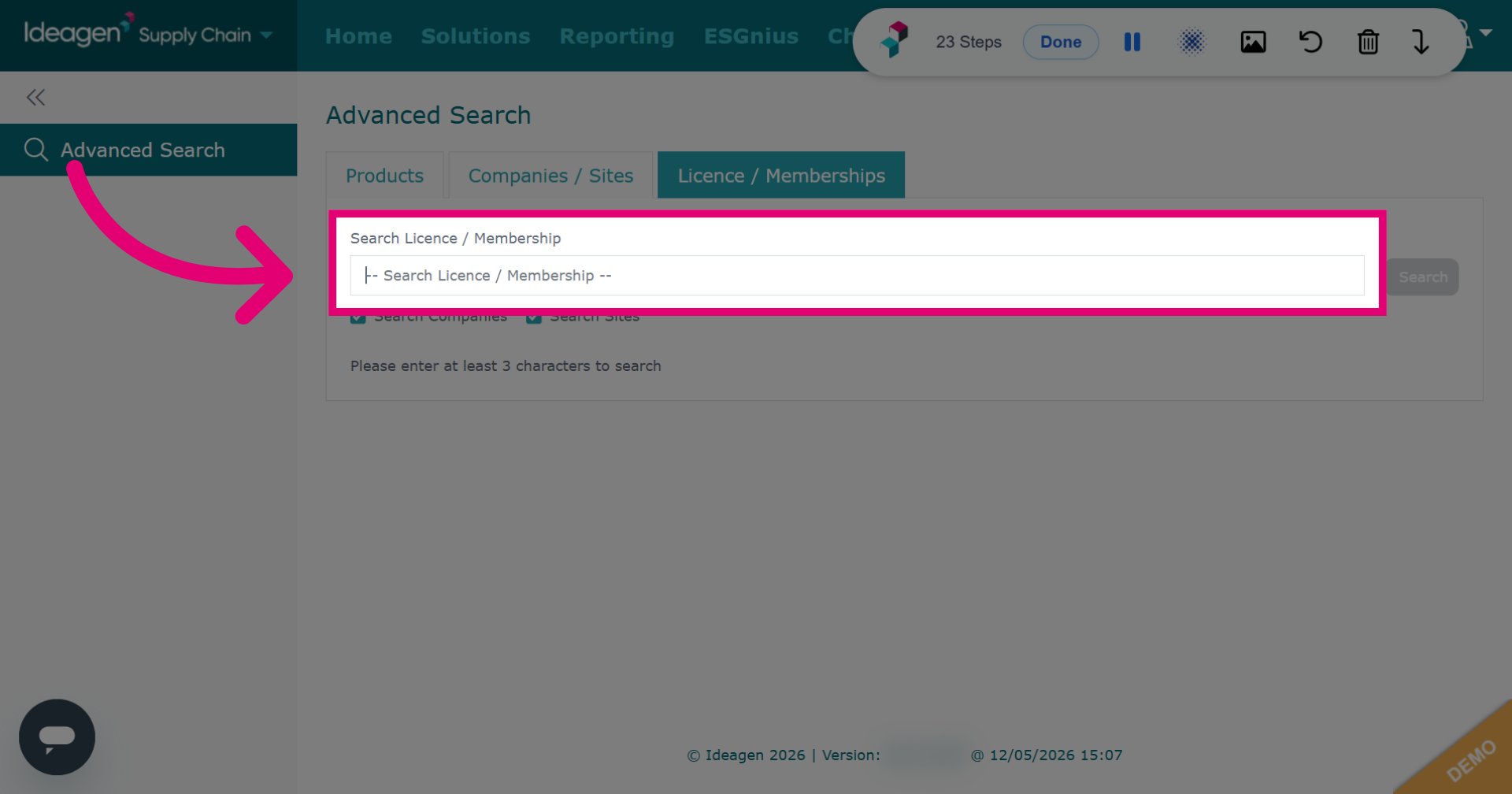
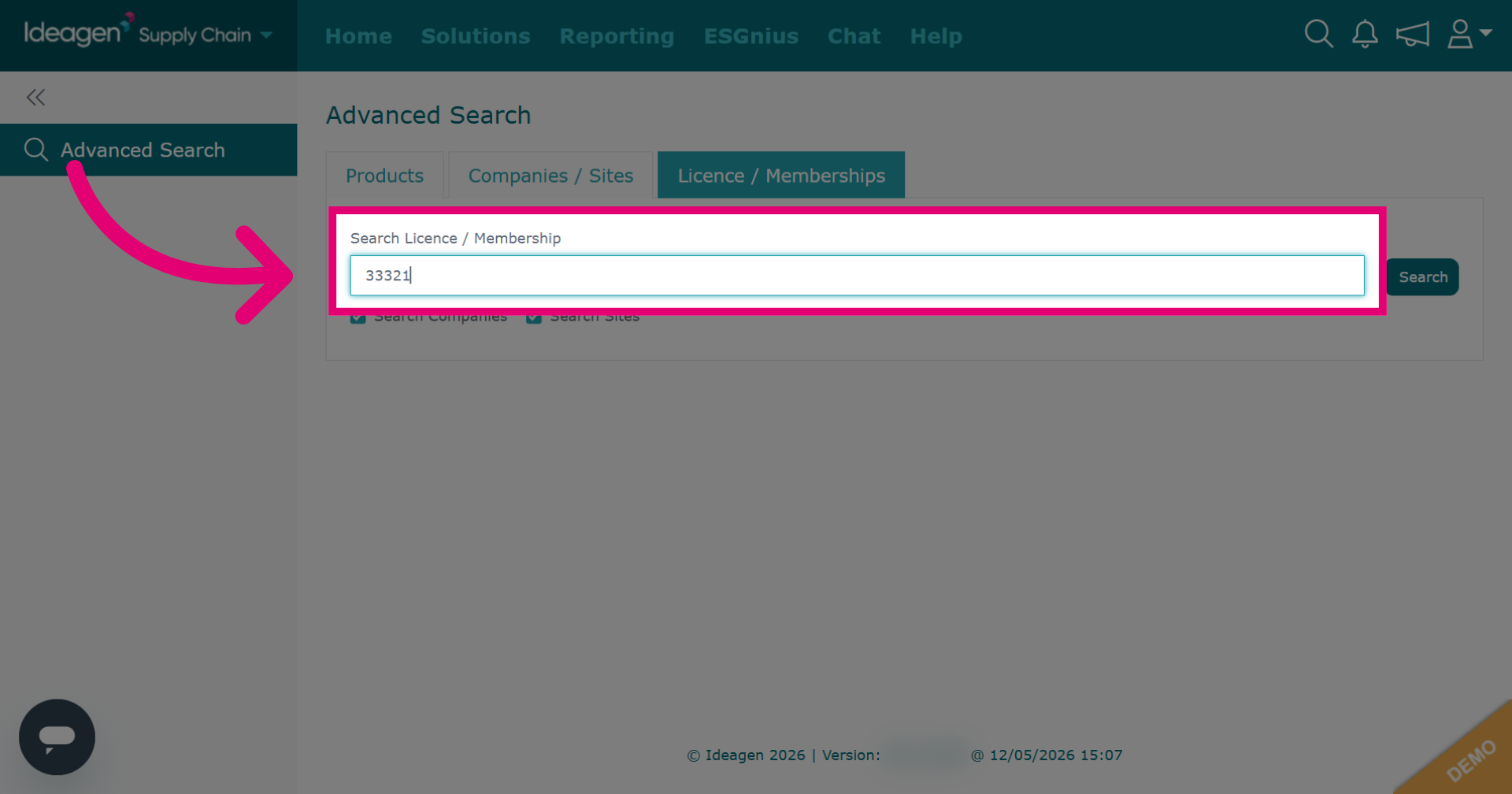
Click Search Licence /Membership to specify the search field for licences or memberships.
-
Enter the licence number search criteria.
-
Click Search to perform the search for the entered licence or membership number.