New article
Recently updated
Viewing Supplier ESG Assessment Results - ESGnius

Who is this article for?
Users that want to view a supplier's ESG assessment results.
ESG admin permissions are required.
This tutorial guides you through viewing your supplier's ESG results, providing that they have shared their data with your company.
Viewing Supplier ESG Results
-
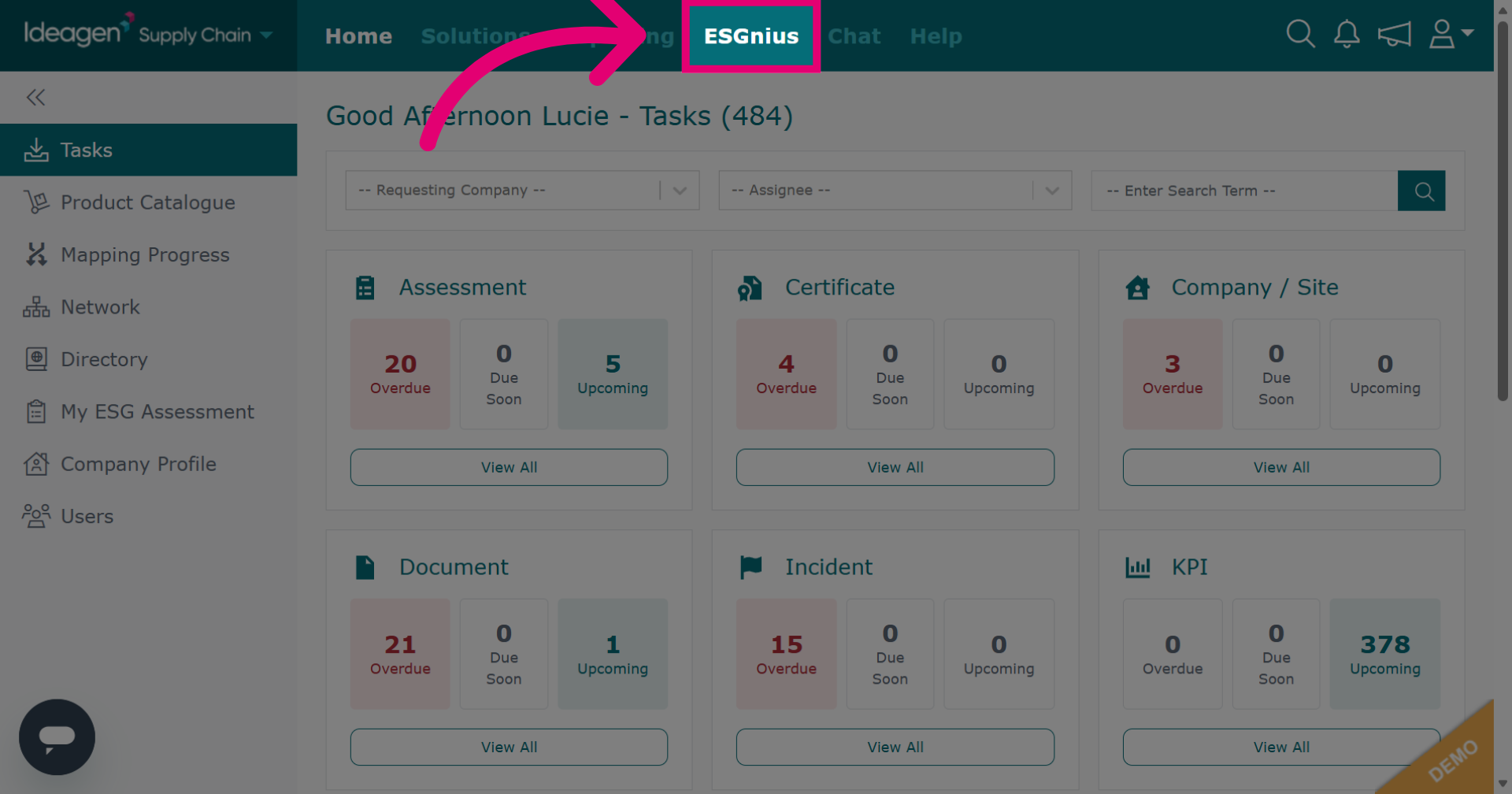
Click ESGnius to open the area where supplier ESG data is housed.
-
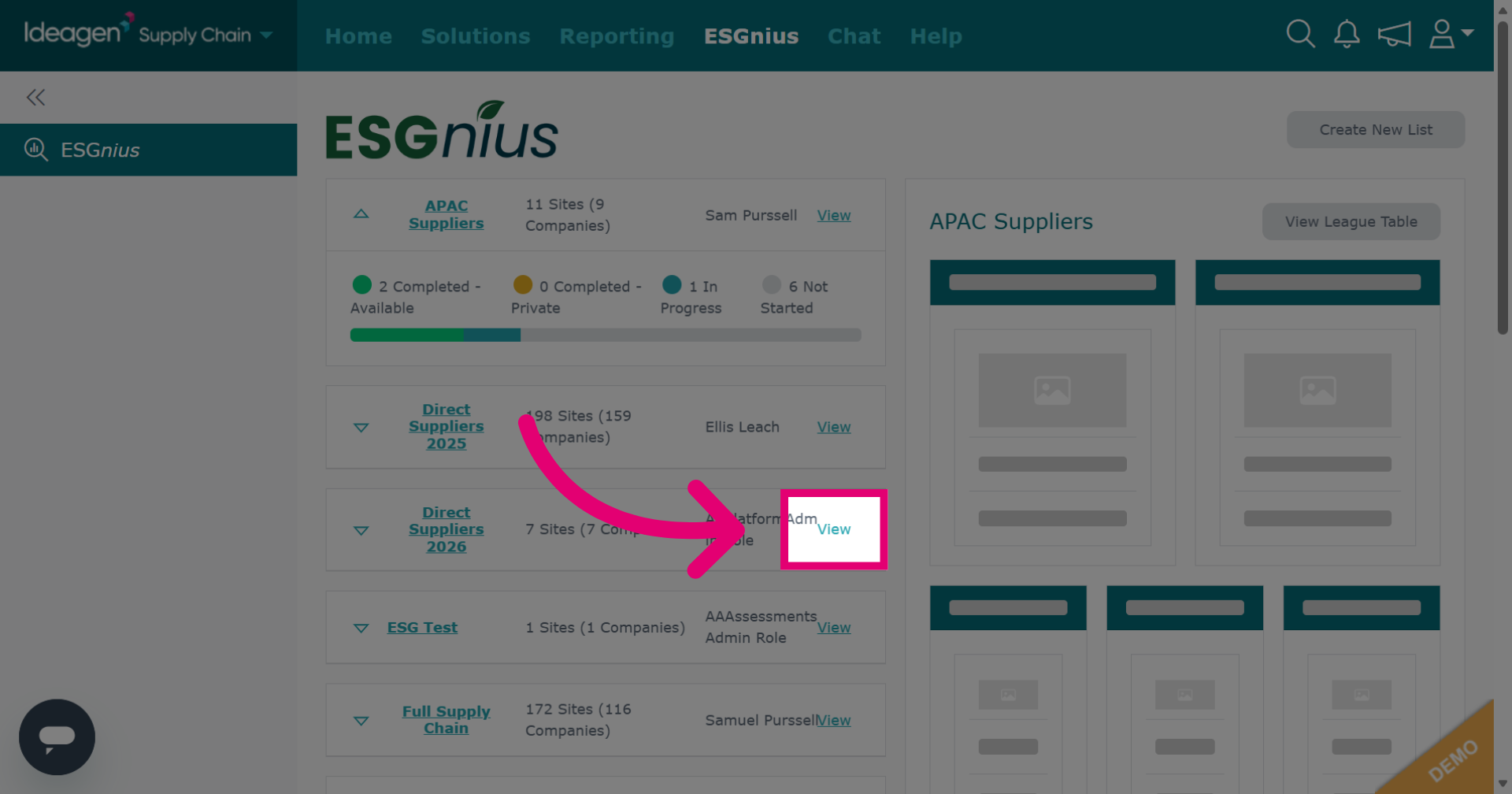
Click View next to the supplier list that contains the supplier ESG data you wish to view.
-
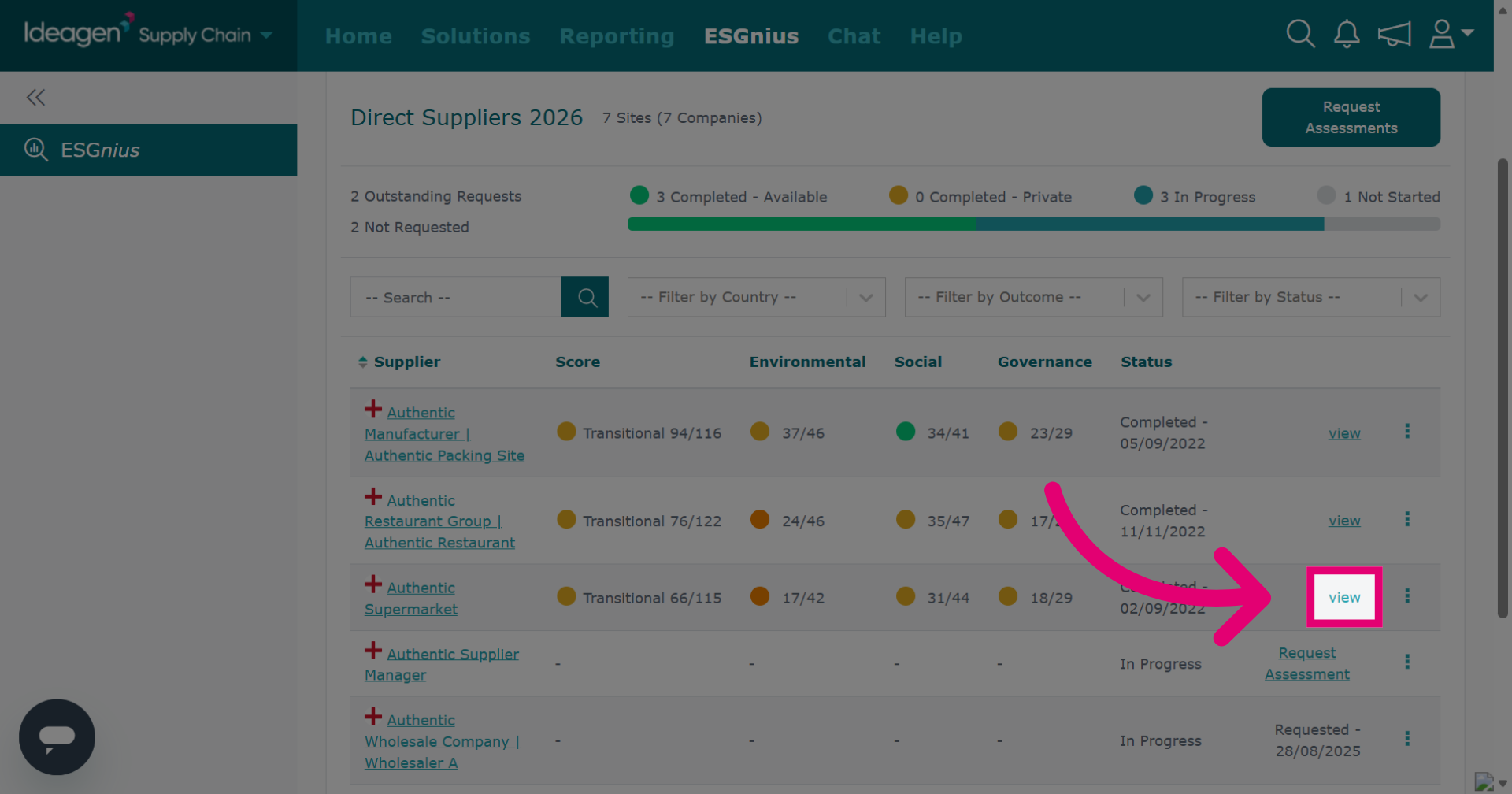
Find the relevant supplier and click View beside their name.
-
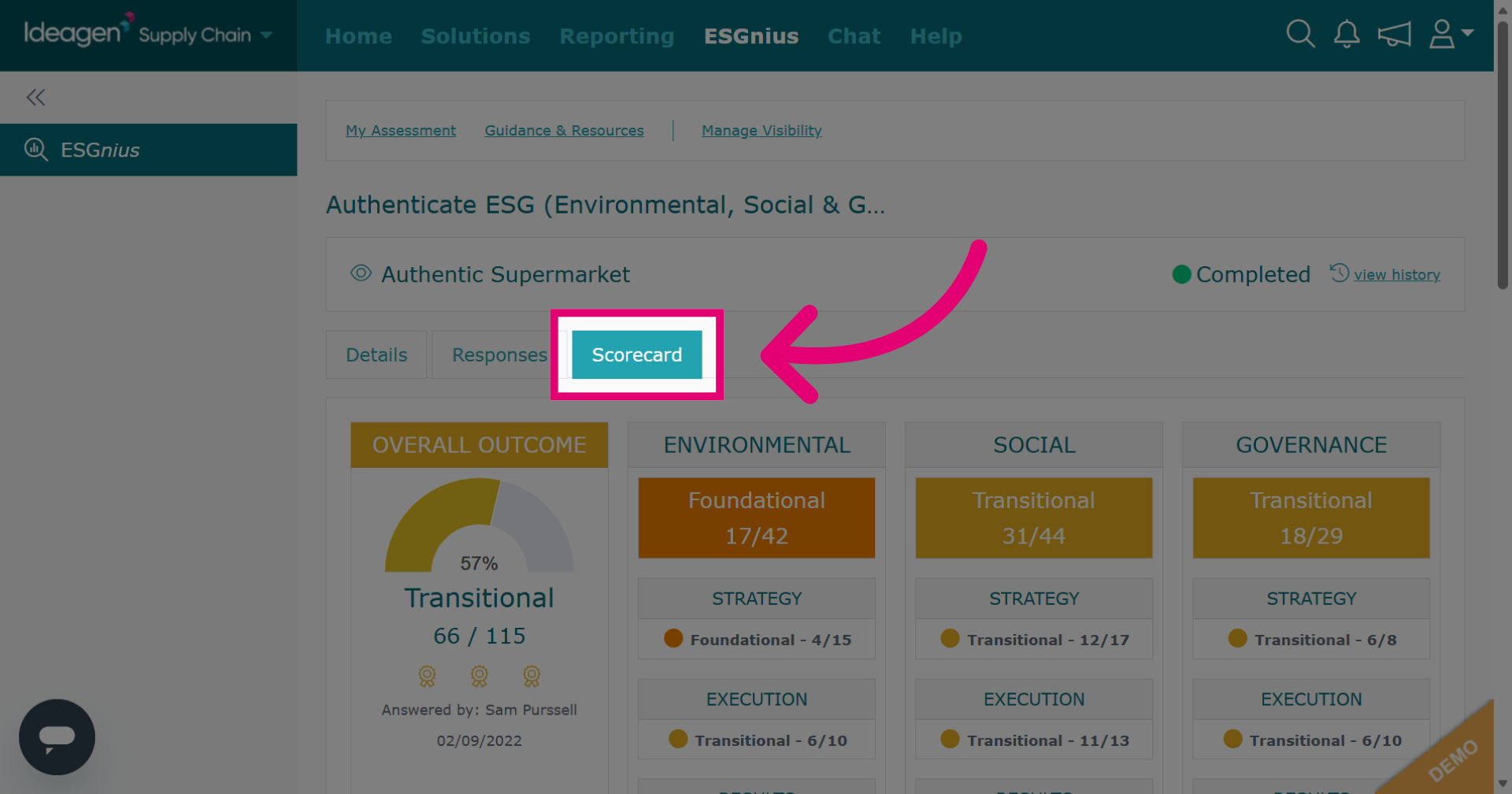
The Scorecard tab breaks down the ESG assessment's scoring into sections showing the grades for each section.
-
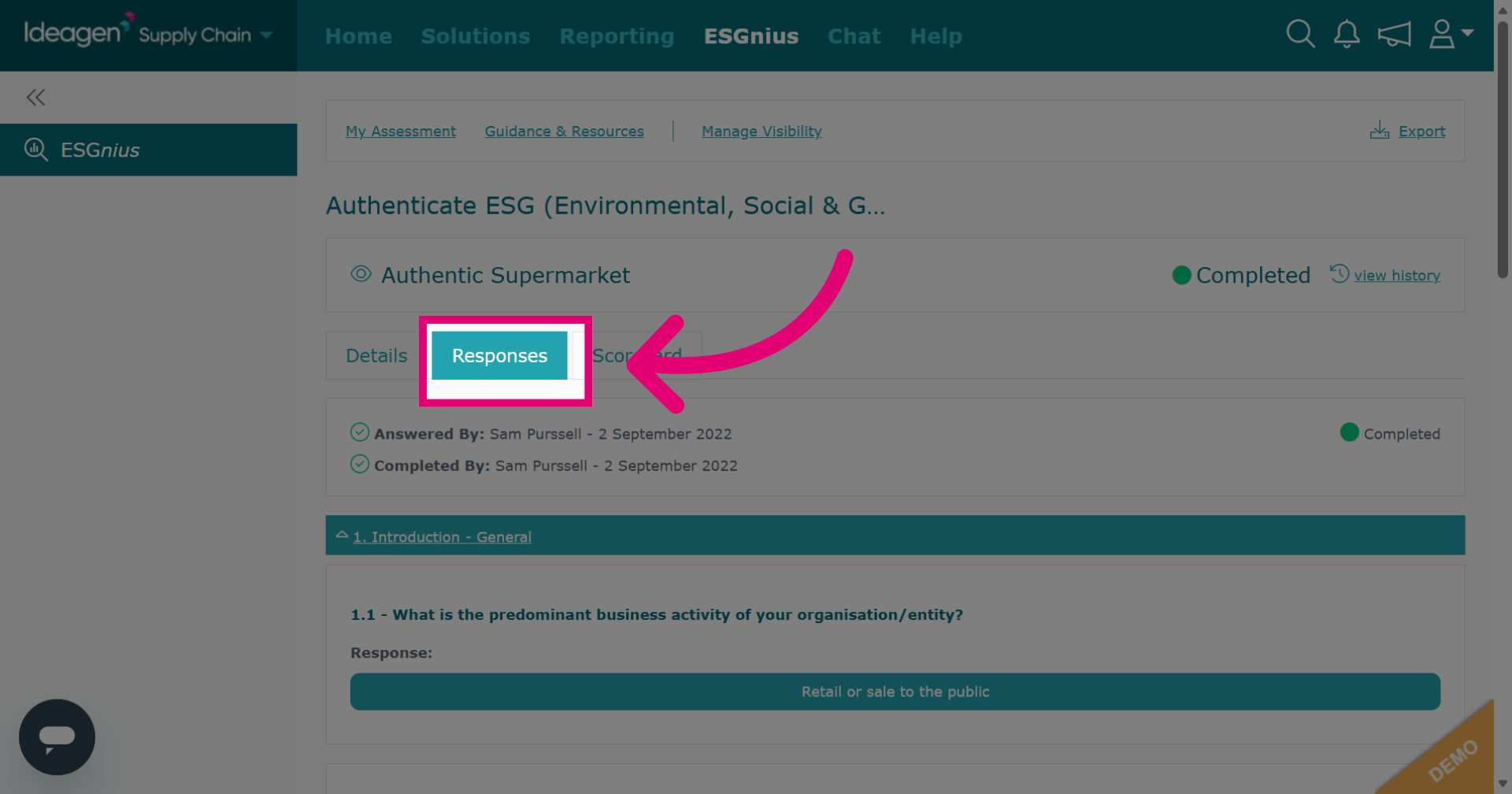
Click the Responses tab to view all submitted answers.
-
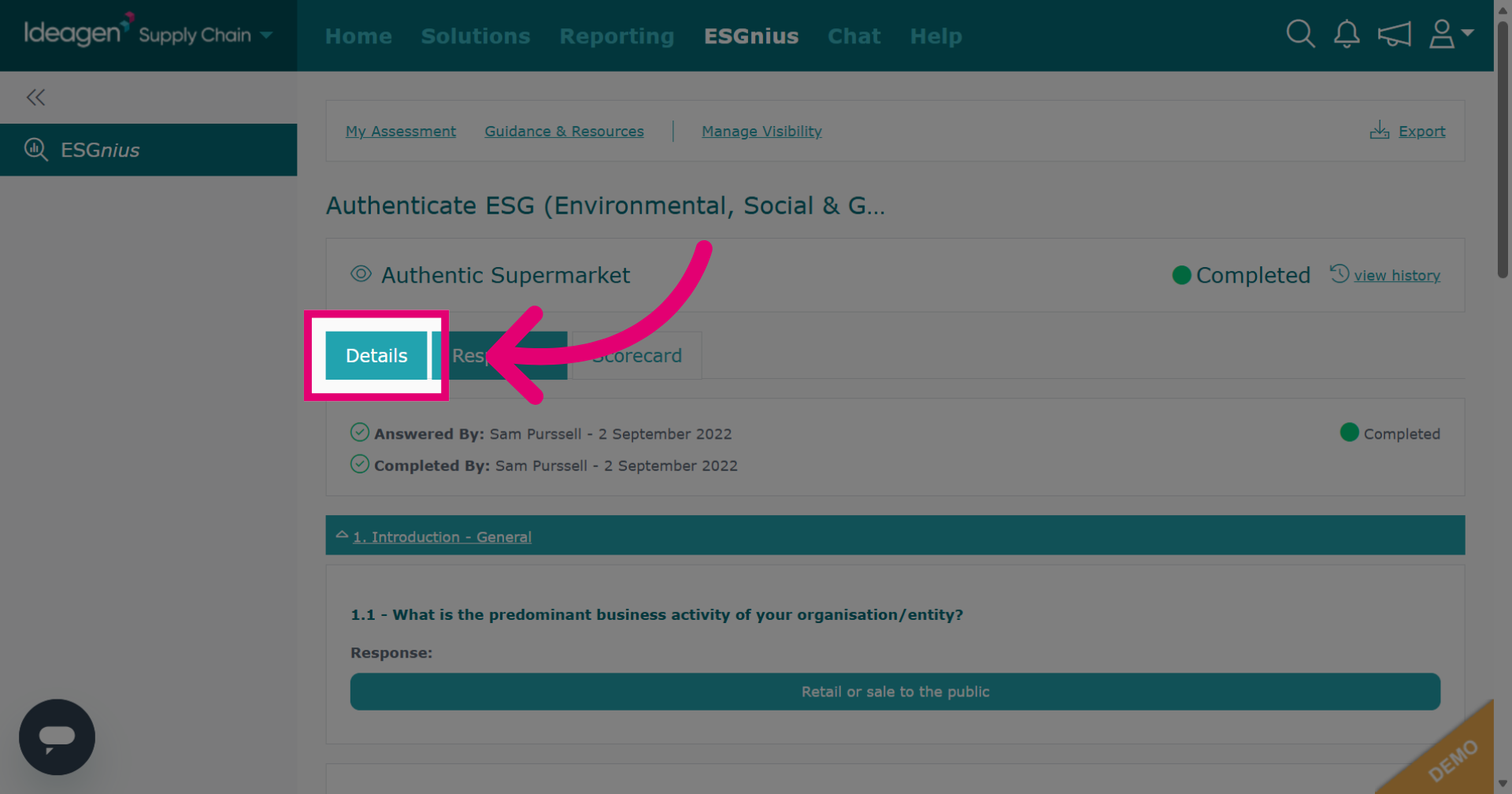
Click Details to see an overview of the assessment details.
-
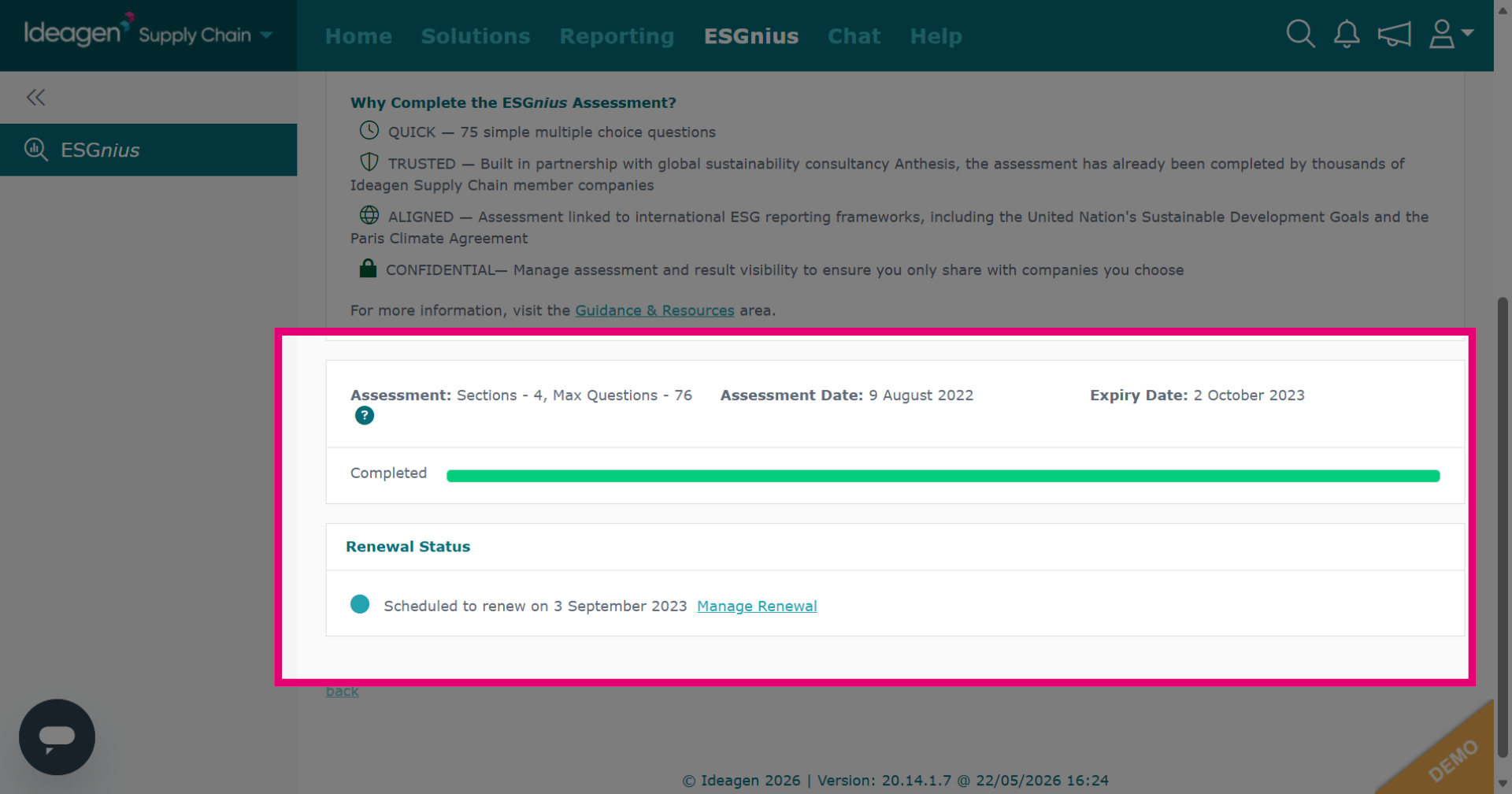
The Details tab contains information such as renewal status, assessment date and expiry date. Unfortunately, at this time there is no way to export ESG results data.
-
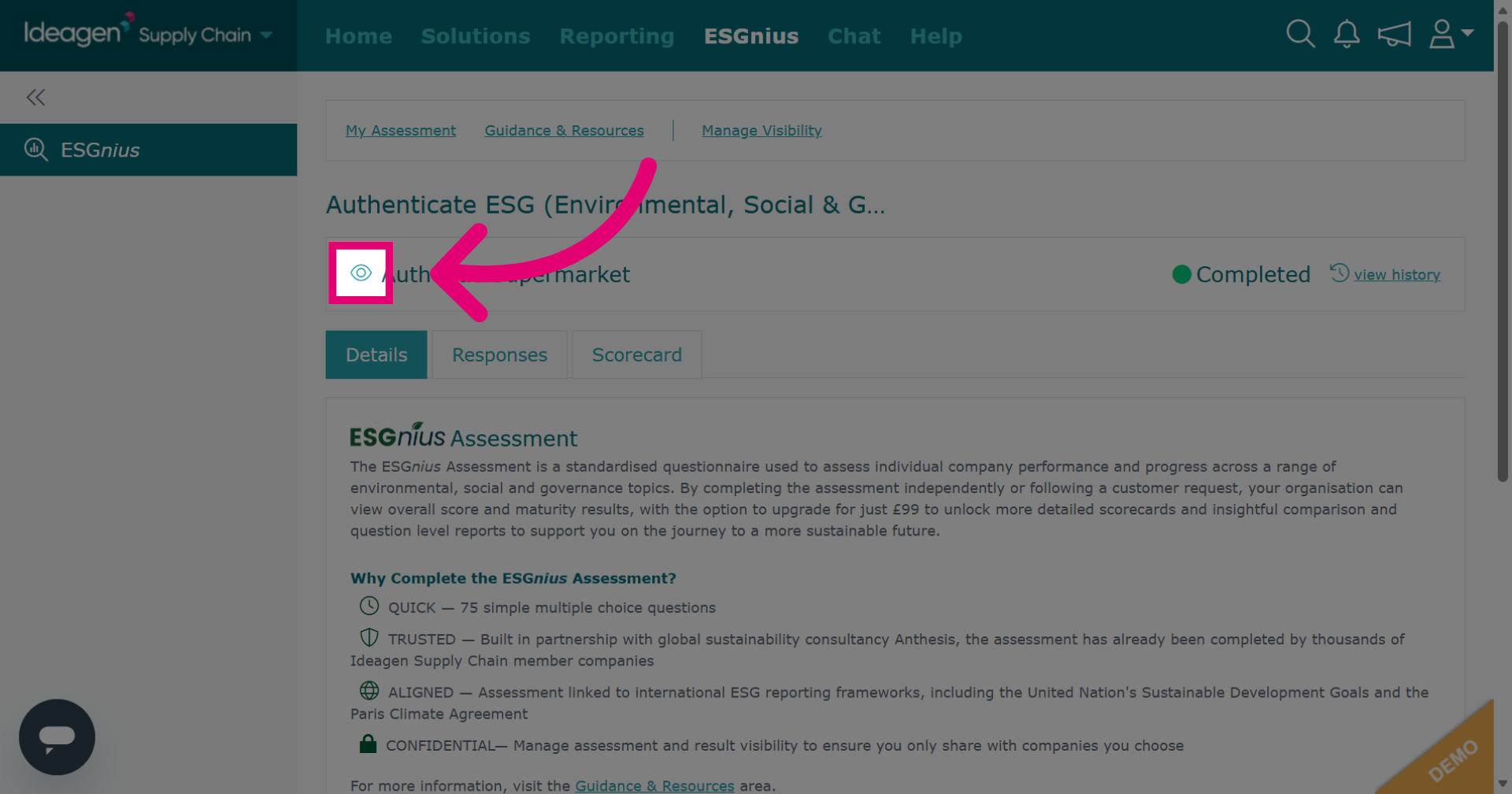
On the Details tab, click the eye icon as shown to view the supplier's profile.
-
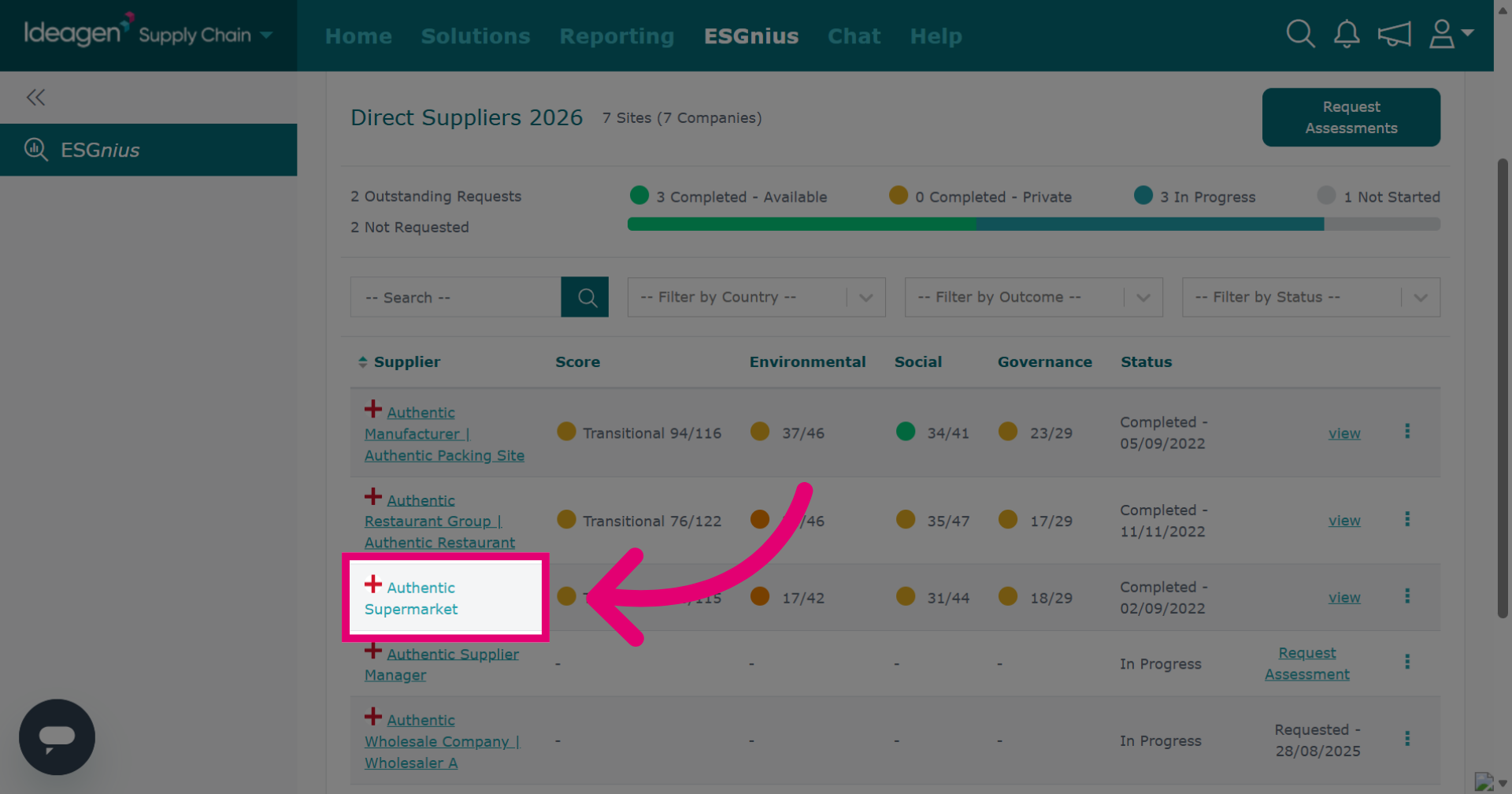
Alternatively, to see a quick overview rather than in-depth scoring, in the list on the Suppliers ESG Assessments tab, click the relevant supplier.
-
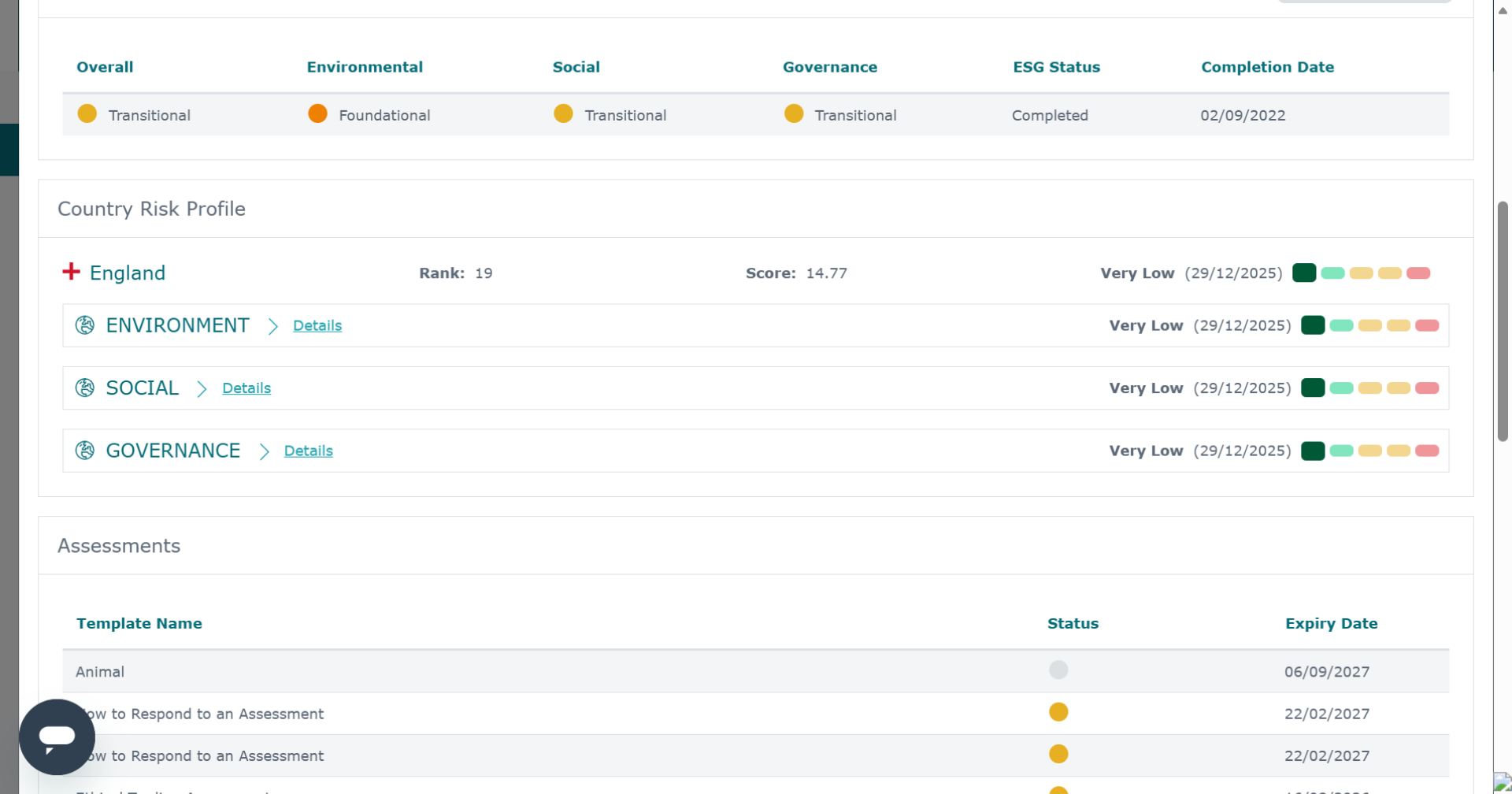
This will show a brief overview of a supplier's ESG results.
-
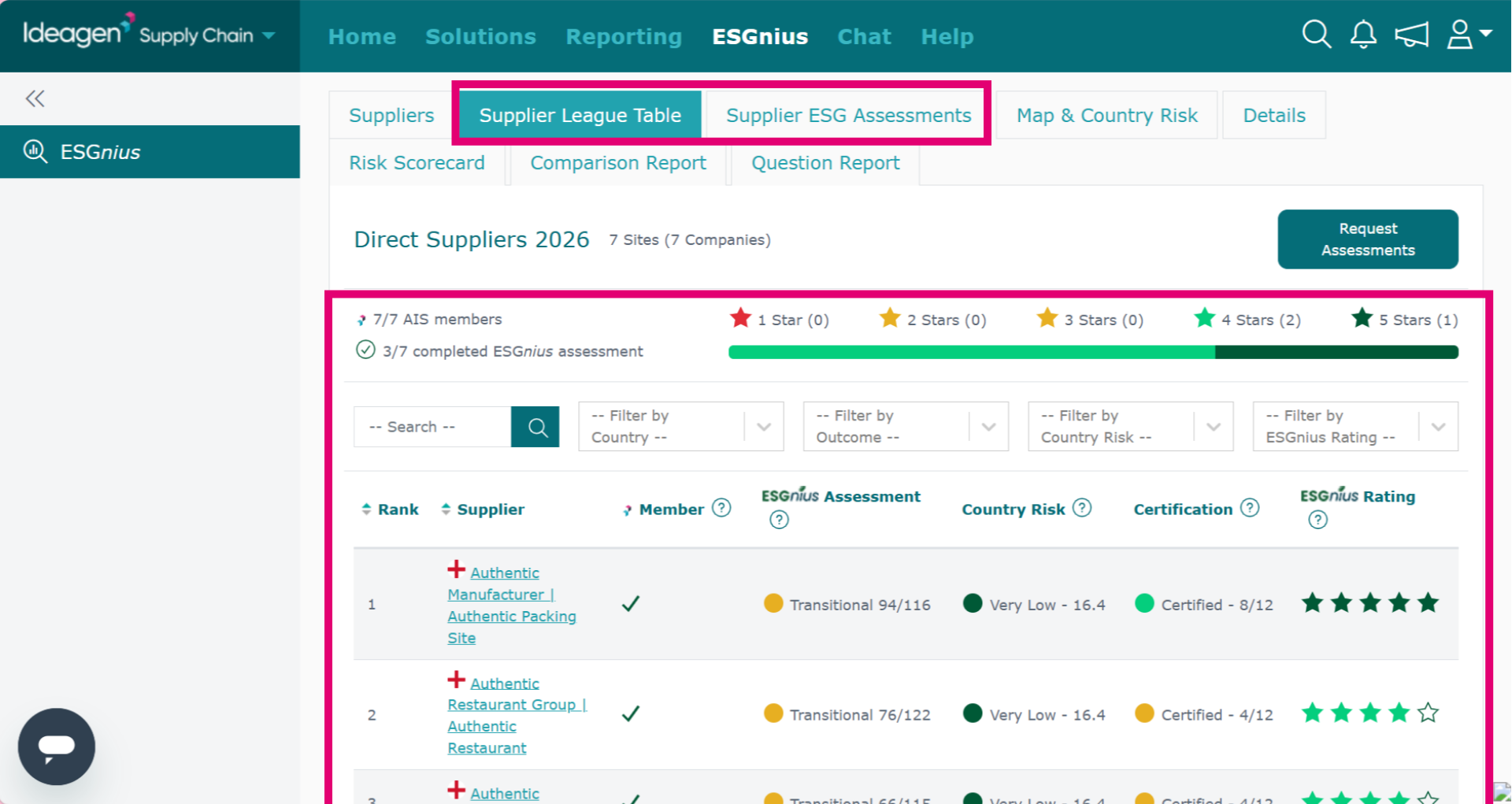
Another way of viewing a brief overview of supplier ESG scores is within the list. Click either the Supplier League Table tab or the Supplier ESG Assessments tab to view the supplier's scoring.